
Best VPN Plugin for Edge: Top Picks and How to Choose
Compare leading VPN extensions for Microsoft Edge and find the right option for privacy, streaming, and everyday browsing.


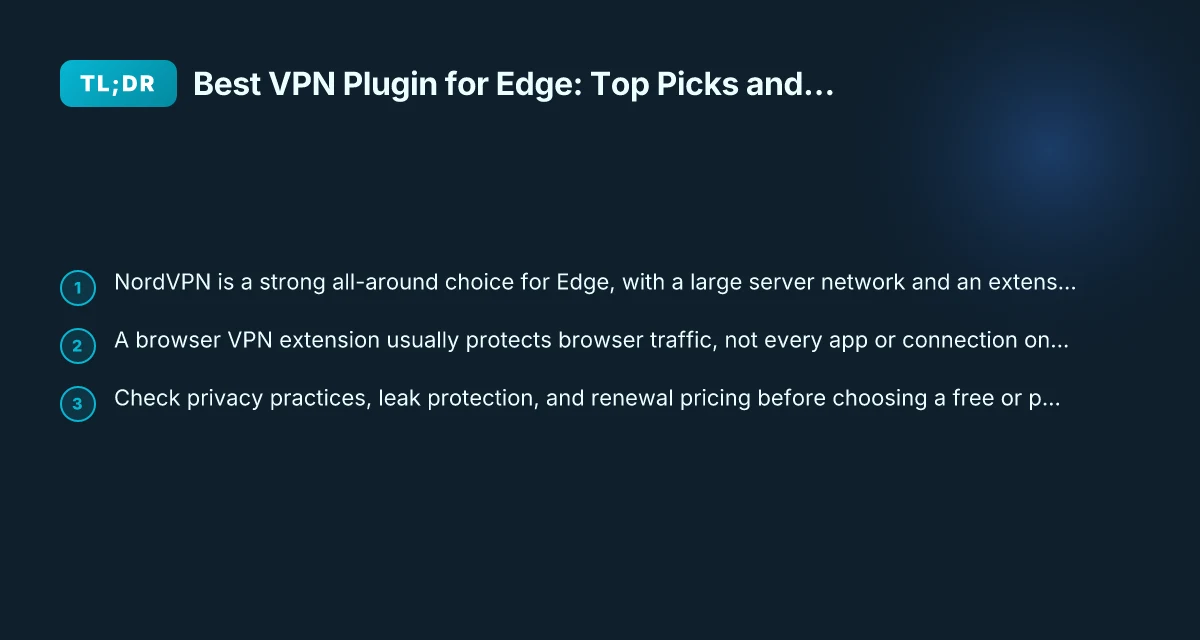
If you want the best VPN plugin for Edge, NordVPN is a strong all-around pick for most people. Its Edge extension offers an easy way to route browser traffic through a VPN server, while its broad network and familiar security features make it suitable for everyday browsing. Surfshark and ExpressVPN are also worth considering, especially if you want different pricing or a particularly simple setup. The right choice depends on what you need the extension to protect: browser activity alone, or your whole device.

Editor's pick: NordVPN — fast, secure VPN — Strong encryption, a no-logs policy and apps for every device. 30-day money-back guarantee. Get NordVPN →
Compare the VPN options by Edge support, protection, and practical fit
| VPN option | Edge extension | What it routes | Account needed | Best fit |
|---|---|---|---|---|
| Microsoft Edge Secure Network | Built into Edge | Browser traffic | Microsoft account | Basic browser privacy |
| ExpressVPN | Supported | Browser traffic | Yes | Simple browser controls |
| NordVPN | Supported | Browser traffic | Yes | Quick server switching |
| Surfshark | Supported | Browser traffic | Yes | Multiple privacy tools |
| Proton VPN | Supported | Browser traffic | Yes | Privacy-focused browsing |
| Windscribe | Supported | Browser traffic | Yes | Flexible settings |
| CyberGhost | Supported | Browser traffic | Yes | Straightforward setup |
Compiled November 2026; check the provider's site for current details.
| VPN | Obfuscation | From / month | Plan | Free plan | Refund | Alipay | UnionPay | Crypto | Website opens in China | Trustpilot | |
|---|---|---|---|---|---|---|---|---|---|---|---|
 NordVPN | Turn on manually Obfuscated Servers / NordWhisper | $3.49/mo | 27 months: $94.23 | No | 30 days | ? | ✗ | ✓ | ✓ | ✗ Blocked | 4.2/5 (51,628 reviews) |
 Surfshark | ✓ On by default Camouflage, with OpenVPN | See site | See site | No | 30 days | ✗ | ✗ | ✗ | ✓ | ✗ Blocked | 4.3/5 (31,823 reviews) |
 ExpressVPN | ✓ On by default all servers | $3.00/mo | 28 months: $84 | No | 30 days | ✗ | ✗ | ✓ | ✗ | ✗ Blocked | 4.4/5 (29,706 reviews) |
 Proton VPN | Turn on manually Stealth, free plan too | $2.99/mo | 12 months: $35.88 | Yes | 30 days | ✗ | ✗ | ✗ | ✓ | ✗ Blocked | 2.1/5 (1,040 reviews) |
 Windscribe | Turn on manually Stealth / WStunnel | $5.75/mo | 12 months: $69 | Yes | See site | ✗ | ✗ | ✗ | ✓ | ✗ Blocked | 4.7/5 (13,355 reviews) |
 CyberGhost | Turn on manually selected servers | $2.19/mo | 28 months: $61.32 | No | 45 days | ✗ | ✗ | ✗ | ✓ | ✗ Blocked | 4.0/5 (24,178 reviews) |
 ZoogVPN | Turn on manually Shadow | $2.49/mo | 27 months: $59.99 | Yes | 7 days | ✓ | ✓ | ✓ | ✓ | Official site blocked; our special link opens (4.4 s) | 4.2/5 (195 reviews) |
 Astrill VPN | Turn on manually StealthVPN / OpenWeb | $12.50/mo | 24 months: $300 | No | See site | ✗ | ✗ | ✗ | ✓ | ✗ Blocked | 1.3/5 (110 reviews) |
 Private Internet Access | Turn on manually Shadowsocks, OpenVPN only | $2.03/mo | 40 months: $81.2 | No | 30 days | ✗ | ✗ | ✗ | ✗ | ✗ Blocked | 4.2/5 (11,033 reviews) |
 PureVPN | Turn on manually switch to OpenVPN | $1.69/mo | 60 months: $101.55 | No | 31 days | ? | ? | ✗ | ✓ | ✗ Blocked | 4.4/5 (17,994 reviews) |
 AdGuard VPN | ✓ On by default TrustTunnel | $2.99/mo | 24 months: $71.76 | Yes | 30 days | ✓ | ✗ | ✓ | ✓ | Official site blocked; our special link opens (3.7 s) | 4.3/5 (290 reviews) |
 Mullvad | Turn on manually QUIC / Shadowsocks / LWO | $5.61/mo | €5/mo | No | 14 days | ✗ | ✗ | ✗ | ✓ | ✗ Blocked | 3.2/5 (192 reviews) |
 StrongVPN | Turn on manually Scramble, OpenVPN TCP | See site | See site | No | 30 days | ✓ | ✗ | ✗ | ✗ | ✗ Blocked | 4.4/5 (2,695 reviews) |
 LightXtreme 闪连 | Not listed | $7.08/mo | 12 months: $84.99 | Yes | 30 days | ✓ | ✓ | ✓ | ✓ | ✓ Yes (3.5 s) | No page |
Prices checked 2026-11-10 on each vendor's pricing page (cheapest long plan, USD). Check the vendor's checkout for the final price.
Obfuscation checked 2026-11-14 on each vendor's site and help center: "on by default" = nothing to set; "turn on manually" = switch protocol or mode in settings; "not listed" = the vendor describes no obfuscation.
Payment methods checked 2026-11-10 on each vendor's payment pages: all 14 take cards and PayPal; ✗ = not listed, ? = the vendor's own pages disagree.
China access: whether the official website opens from mainland China networks (tests the website only, not the VPN connection). Last checked 2026-11-18 01:02 Beijing time.
Trustpilot score and review count checked 2026-11-10.
Best VPN extensions for Microsoft Edge
Microsoft Edge supports extensions from its own Add-ons store, and it can also install many extensions from the Chrome Web Store after you enable that option in Edge settings. Availability and features can vary by region, so check the current listing before subscribing.
| VPN | Best for | What to consider |
|---|---|---|
| NordVPN | Most users | Browser extension can be used separately from the desktop VPN app |
| Surfshark | Value and multiple devices | Check current plan terms and renewal price |
| ExpressVPN | Straightforward operation | Typically positioned as a premium service |
| Proton VPN | Privacy-focused users | Confirm which features are included with your chosen plan |
| Windscribe | Trying a free option | Free plans usually have limits, such as data or server selection |
These are established services, but no provider is best for everyone. Compare current prices and features directly, since plans and extension capabilities can change.
NordVPN: best all-around choice
NordVPN is a practical starting point if you want a capable browser extension without much setup. Its Edge add-on can send browser traffic through a selected VPN server and offers controls intended to help reduce exposure if the connection drops. The precise features can depend on the version and your settings.
One useful distinction is that a browser extension may work without the provider’s full desktop app. That makes it convenient, but it also means the extension generally protects only compatible browser traffic. Choose the full app if you want system-wide VPN coverage. Best Free VPN for PC Extension Edge: What to Know Before You Install
Surfshark: a value-oriented alternative
Surfshark may suit people looking to cover several devices under one account or find a lower-cost plan. Its browser extension is designed for use in Edge and can be a convenient option for routine browsing.
Read the subscription details carefully. Introductory prices can differ substantially from renewal prices, and features included in a bundle may vary. Test the extension on the sites and services you use most before relying on it.
ExpressVPN: a simple premium option
ExpressVPN is known for a polished, straightforward experience. Its Edge extension works alongside its VPN application, so it may be a better fit if you want an easy browser control linked to device-level VPN protection.
That app relationship is important: an extension that controls the desktop app is not the same as a standalone proxy-style browser extension. Confirm what must be installed and running to get the protection you expect. BIG-IP Edge VPN: What It Is, How It Works, and When to Use It
Proton VPN and Windscribe: privacy and free-plan choices
Proton VPN appeals to users who prioritize a privacy-focused provider and want to review its security approach. Check the current Edge extension listing and plan information to confirm which features are available to you.
Windscribe offers a free tier that can be useful for occasional browsing or testing the setup. Free services often come with restrictions, such as monthly data limits or fewer server locations. Avoid treating “free” as proof of strong privacy: review the provider’s data policy and understand how the service is funded.

What an Edge VPN plugin does, and does not do
A VPN extension changes how supported browser traffic is routed. Depending on how it is built, it may work as a browser proxy rather than a full device VPN. This can help protect browser connections on public Wi-Fi and may change the apparent location of your browser traffic.
It does not automatically protect everything on your computer. Other browsers, email apps, games, and background services may connect outside the extension. For whole-device coverage, install and use the provider’s desktop VPN app. Cisco IPsec: How It Works, Setup, and Best Practices
A VPN also does not make you anonymous. Websites can still recognize you through account sign-ins, cookies, browser fingerprinting, and other tracking methods. A VPN is one privacy tool, not a substitute for careful browsing or account security.
Understand what an Edge VPN plugin protects—and what it may leave exposed
| Capability | Extension only | Full VPN app | What to check |
|---|---|---|---|
| Browser traffic routing | Supported | Supported | Which Edge traffic is covered |
| Other app traffic routing | Usually not covered | Supported | Whether system-wide protection is needed |
| IP address masking | Supported for routed traffic | Supported | Confirm the connection is active |
| Public Wi-Fi protection | Browser traffic only | Device traffic | Enable the app or extension before browsing |
| Location selection | Often supported | Often supported | Check available server locations |
| Kill switch | Varies by extension | Commonly available | Look for a connection-failure setting |
| WebRTC leak protection | Varies by extension | Varies by app | Check privacy and leak-protection settings |
| Subscription requirements | Varies by provider | Varies by provider | Review plan limits and terms |
Compiled November 2026; check the provider's site for current details.
How to choose the right extension
Before installing an extension, consider these questions: VPN SSL BWG Online Service: What It Is and How to Use It
- What traffic needs protection? Choose a browser extension for browser-only use. Use a desktop app for broader device coverage.
- What does the provider log? Read the privacy policy for details on connection records, usage data, and retention.
- Does it offer leak protection? Look for safeguards against DNS or IP exposure, and test settings where practical.
- Are the server locations useful? A larger network can offer more options, but performance varies with distance, congestion, and your internet connection.
- Will it work with your services? Streaming and banking sites may block VPN connections or require extra verification.
- What will it cost later? Compare the renewal price, cancellation terms, and refund policy, not just the introductory offer.
- Is the extension maintained? Check the store listing, update history, permissions, and publisher identity before installing.
Install extensions only from an official app store or the VPN provider’s verified page. Be cautious of lookalike add-ons: a convincing name or logo does not prove that an extension belongs to a reputable company.
How to set up a VPN in Edge
- Open the official Microsoft Edge Add-ons store, or the provider’s verified page, and locate its Edge extension.
- Check the publisher, permissions, and privacy information before selecting Get or Add to Edge.
- Sign in or create an account, then select a server location.
- Turn on any available connection or leak-protection settings that fit your needs.
- Confirm what the extension covers. If you need protection for other apps, install the provider’s desktop application as well.
- Test the connection using a reputable IP-checking service and make sure the displayed location changes as expected.
Keep the extension updated, and remove it if you no longer use it. Extensions can request access to browser data, so avoid installing multiple VPN add-ons from unknown providers.
Choose and set up an Edge VPN extension
| Decision or step | What to do | Why it matters | Check before continuing |
|---|---|---|---|
| Choose a provider | Compare privacy practices and reputation | A VPN handles sensitive traffic | Review the provider’s privacy policy |
| Confirm Edge support | Find the extension in Microsoft Edge Add-ons | Avoid unsupported installs | Check the publisher name |
| Review plan limits | Compare free and paid features | Limits may affect everyday use | Check data, servers, and features |
| Install the extension | Select Get, then approve the install | Adds the provider’s controls to Edge | Confirm the extension appears in the toolbar |
| Sign in or create an account | Follow the provider’s prompts | Some extensions require an account | Check whether a subscription is needed |
| Connect to a server | Choose a location and select Connect | Routes covered browser traffic through the VPN | Confirm the status shows connected |
| Check protection settings | Review leak protection and site permissions | Settings affect privacy and access | Enable available safeguards |
| Test and disconnect | Verify access, then disconnect when needed | Confirms the setup works as expected | Remember an extension may not cover other apps |
Compiled November 2026; check the provider's site for current details. VPN Keeps Turning On iPhone: Why It Happens and How to Stop It
Recommendation
For most Edge users, NordVPN is the best place to start because it combines a capable browser extension with a broad service offering. Choose Surfshark if current pricing and its device terms suit your needs, ExpressVPN if you prefer a simple premium setup, or Windscribe if you want to test a limited free plan. If you need to protect more than browser traffic, use a trusted provider’s full desktop VPN app rather than relying on an Edge plugin alone.