Best Free VPN for Edge: Top Picks and Limitations
Compare free VPNs for Microsoft Edge, understand browser extensions versus full-device apps, and choose a safer option.


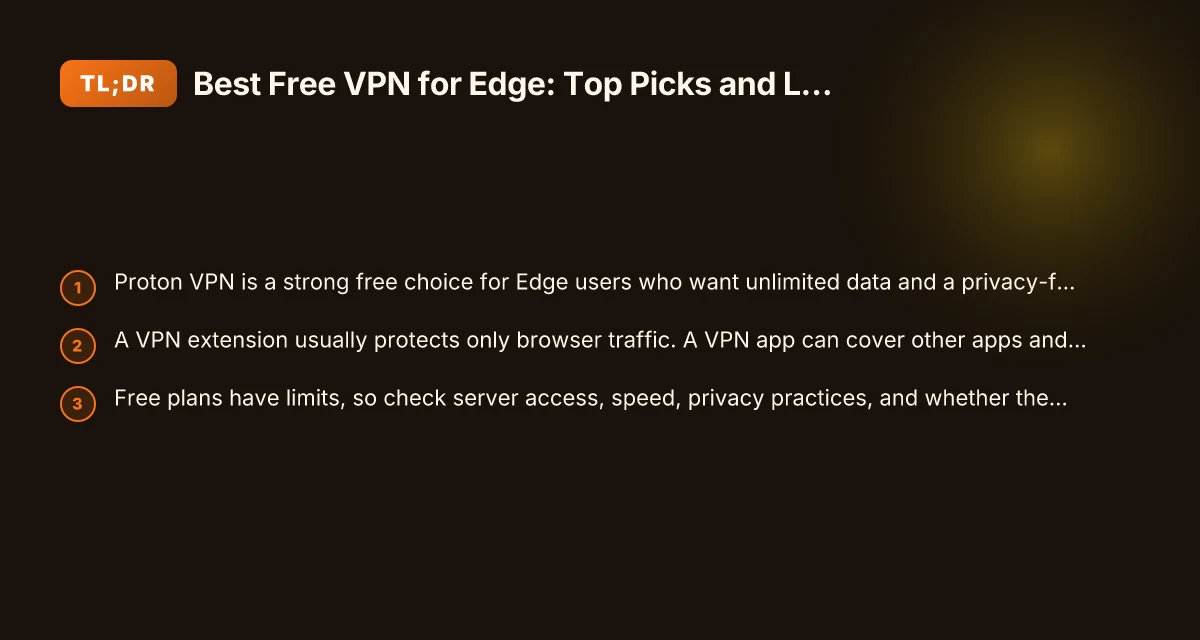
The best free VPN for Edge for most people is Proton VPN, used through its Windows app while browsing in Microsoft Edge. Its free plan offers unlimited data and comes from a provider with a strong privacy reputation. If you specifically want a browser extension, Windscribe is a useful alternative to consider, though free accounts have a monthly data limit.
Before installing anything, note an important distinction: a VPN app and a browser extension do not necessarily do the same job. An app can route traffic from Edge and other programs through a VPN. An extension generally handles traffic within the browser, and some extensions are encrypted proxies rather than full-device VPNs. Choose based on what you actually need protected.
| VPN | Obfuscation | From / month | Plan | Free plan | Refund | Alipay | UnionPay | Crypto | Website opens in China | Trustpilot | |
|---|---|---|---|---|---|---|---|---|---|---|---|
 Proton VPN | Turn on manually Stealth, free plan too | $2.99/mo | 12 months: $35.88 | Yes | 30 days | ✗ | ✗ | ✗ | ✓ | ✗ Blocked | 2.1/5 (1,040 reviews) |
 Windscribe | Turn on manually Stealth / WStunnel | $5.75/mo | 12 months: $69 | Yes | See site | ✗ | ✗ | ✗ | ✓ | ✗ Blocked | 4.7/5 (13,355 reviews) |
 ZoogVPN | Turn on manually Shadow | $2.49/mo | 27 months: $59.99 | Yes | 7 days | ✓ | ✓ | ✓ | ✓ | Official site blocked; our special link opens (4.4 s) | 4.2/5 (195 reviews) |
 NordVPN | Turn on manually Obfuscated Servers / NordWhisper | $3.49/mo | 27 months: $94.23 | No | 30 days | ? | ✗ | ✓ | ✓ | ✗ Blocked | 4.2/5 (51,628 reviews) |
 ExpressVPN | ✓ On by default all servers | $3.00/mo | 28 months: $84 | No | 30 days | ✗ | ✗ | ✓ | ✗ | ✗ Blocked | 4.4/5 (29,706 reviews) |
 Surfshark | ✓ On by default Camouflage, with OpenVPN | See site | See site | No | 30 days | ✗ | ✗ | ✗ | ✓ | ✗ Blocked | 4.3/5 (31,823 reviews) |
 Astrill VPN | Turn on manually StealthVPN / OpenWeb | $12.50/mo | 24 months: $300 | No | See site | ✗ | ✗ | ✗ | ✓ | ✗ Blocked | 1.3/5 (110 reviews) |
 Private Internet Access | Turn on manually Shadowsocks, OpenVPN only | $2.03/mo | 40 months: $81.2 | No | 30 days | ✗ | ✗ | ✗ | ✗ | ✗ Blocked | 4.2/5 (11,033 reviews) |
 CyberGhost | Turn on manually selected servers | $2.19/mo | 28 months: $61.32 | No | 45 days | ✗ | ✗ | ✗ | ✓ | ✗ Blocked | 4.0/5 (24,178 reviews) |
 PureVPN | Turn on manually switch to OpenVPN | $1.69/mo | 60 months: $101.55 | No | 31 days | ? | ? | ✗ | ✓ | ✗ Blocked | 4.4/5 (17,994 reviews) |
 AdGuard VPN | ✓ On by default TrustTunnel | $2.99/mo | 24 months: $71.76 | Yes | 30 days | ✓ | ✗ | ✓ | ✓ | Official site blocked; our special link opens (3.7 s) | 4.3/5 (290 reviews) |
 Mullvad | Turn on manually QUIC / Shadowsocks / LWO | $5.61/mo | €5/mo | No | 14 days | ✗ | ✗ | ✗ | ✓ | ✗ Blocked | 3.2/5 (192 reviews) |
 StrongVPN | Turn on manually Scramble, OpenVPN TCP | See site | See site | No | 30 days | ✓ | ✗ | ✗ | ✗ | ✗ Blocked | 4.4/5 (2,695 reviews) |
 LightXtreme 闪连 | Not listed | $7.08/mo | 12 months: $84.99 | Yes | 30 days | ✓ | ✓ | ✓ | ✓ | ✓ Yes (3.5 s) | No page |
Prices checked 2026-11-10 on each vendor's pricing page (cheapest long plan, USD). Check the vendor's checkout for the final price.
Obfuscation checked 2026-11-14 on each vendor's site and help center: "on by default" = nothing to set; "turn on manually" = switch protocol or mode in settings; "not listed" = the vendor describes no obfuscation.
Payment methods checked 2026-11-10 on each vendor's payment pages: all 14 take cards and PayPal; ✗ = not listed, ? = the vendor's own pages disagree.
China access: whether the official website opens from mainland China networks (tests the website only, not the VPN connection). Last checked 2026-11-18 01:02 Beijing time.
Trustpilot score and review count checked 2026-11-10.

Editor's pick: NordVPN — fast, secure VPN — Strong encryption, a no-logs policy and apps for every device. 30-day money-back guarantee. Get NordVPN →
Free VPN plans and Edge extension availability
| Provider | Free data | Edge extension | Coverage | Best fit | Main limitation |
|---|---|---|---|---|---|
| Proton VPN | Unlimited | Not specified | VPN app | Regular use | Free-plan server choices |
| Windscribe | Limited | Investigate availability | Extension and VPN app | Browser-focused use | Free-plan data limit |
| hide.me | Limited | Not specified | VPN app | Alternative free plan | Free-plan restrictions |
| TunnelBear | Limited | Not specified | VPN app | Occasional use | Free-plan data limit |
| Edge extension | Varies by provider | Yes | Browser traffic | Browser-only protection | Does not cover other apps |
| VPN app | Varies by provider | Not applicable | Device traffic | Whole-device protection | Requires installing an app |
Compiled November 2026; check the provider's site for current details.
Best free VPNs for Microsoft Edge
These options are worth considering, but features and free-plan terms can change. Check the provider’s current plan details and privacy policy before signing up.
| Service | How to use it with Edge | Free-plan consideration | Best for |
|---|---|---|---|
| Proton VPN | Windows app; Edge traffic uses the app’s connection | Unlimited data, but free servers and features are limited | Regular browsing without a monthly data cap |
| Windscribe | Browser extension or desktop app | Free accounts have a monthly data allowance | Users who want browser-level controls |
| hide.me | Desktop app, with browser support depending on current availability | Free access has limits on servers or features | People seeking another established provider |
| TunnelBear | Desktop app | Free plan has a relatively small data allowance | Occasional, light use |
A service appearing in this table is not a guarantee of suitability for every task. Compare current limits, available locations, and terms before relying on it.

1. Proton VPN: Best overall for unlimited free use
Proton VPN is a practical starting point if you want to protect Edge browsing without tracking a monthly data allowance. Install the official desktop app, connect to a free server, and then open Edge. The app routes supported device traffic through the VPN connection, rather than limiting protection to one browser.
The trade-off is that free users may have fewer server locations and less control over choosing a specific country than paying subscribers. Speeds can also vary with server demand and your own connection. A free plan may be unsuitable if you need a particular location for a service or want consistently high performance. VPN PES: What It Does and Whether You Need One for eFootball
Proton VPN is a good fit for everyday browsing, especially when you want a free plan from a provider known for putting privacy at the center of its service. As with any VPN, it does not make you anonymous or protect you from phishing, malware, or accounts that identify you.
2. Windscribe: Best option to investigate for an Edge extension
Windscribe offers browser extensions as well as desktop software, making it a convenient option for people who want controls inside Edge. An extension can be quick to enable for browser activity, and it may include settings such as location selection or site-specific controls. Exact features depend on the current extension and plan.
The main limitation is its free data allowance. That can be enough for occasional browsing, but video streaming, large downloads, or extended use may consume the monthly allocation quickly. Review the current allowance and any account requirements before installing it.
Also check what the extension protects. Browser extensions may route or proxy browser traffic without protecting other programs on your computer. If you want broader coverage, install the provider’s desktop app and confirm that it is connected before using Edge. Microsoft Edge VPN Extension: What It Is and How to Choose One
Choose an Edge VPN setup
| Decision factor | Edge extension | VPN app |
|---|---|---|
| Protects Edge traffic | Yes | Yes |
| Protects other apps | No | Yes |
| Works only in the browser | Yes | No |
| Requires browser extension support | Yes | No |
| Covers device traffic | No | Yes |
| Best for browser-only use | Yes | Not necessary |
| Best for broader protection | No | Yes |
Compiled November 2026; check the provider's site for current details.
3. Other free plans: Consider Hide.me or TunnelBear
hide.me and TunnelBear are alternative providers to compare if Proton VPN or Windscribe does not suit your needs. Their free offerings can be useful for trying a service or for light, occasional browsing, but free plans typically restrict some combination of data, server choice, speed, or features.
Those limitations matter. A small data cap can make a service frustrating for regular use, while a restricted server list may not include the country you need. Read the current plan details rather than relying on older reviews, since free-tier terms can change. Urban VPN Edge: How to Install, Use, and Assess the Extension
Avoid choosing a VPN solely because it is free or appears in an app store. Look for a clearly identified company, a readable privacy policy, transparent free-plan limits, and a trustworthy download source.
Browser extension or VPN app?
The right setup depends on which traffic you want to cover.
- Choose a desktop VPN app if you want Edge and other supported apps to use the VPN connection. This is generally the better choice for whole-device coverage.
- Choose a browser extension if you only want to route browser traffic and prefer controls in Edge.
- Check the extension’s description carefully. “VPN” can be used loosely. Some browser add-ons function as proxies and do not create a device-wide VPN tunnel.
- Use one provider’s app and extension only when you understand how they interact. Running both at once can cause connection conflicts or confusing location results.
A VPN changes how your internet traffic is routed and can hide your IP address from websites you visit. It does not prevent websites from identifying you through sign-ins, cookies, browser fingerprinting, or information you share.
How to choose a safe free VPN for Edge
Prioritize trust and practical limits over flashy claims. A free VPN should explain how it handles data, what the free plan includes, and how to contact the company. Prefer official downloads from the provider’s website or Microsoft Edge Add-ons store, and verify the publisher before installing. FortiClient VPN Download: Official Install Guide for Every Device
Use this checklist:
- Privacy: Read the policy to understand what connection or activity data is collected and retained.
- Data limits: Check whether there is a monthly cap, and whether streaming or downloads are practical.
- Server locations: Make sure the free plan includes locations you can actually use.
- Coverage: Confirm whether you are installing a browser extension, a desktop app, or both.
- Security: Look for clear details about encryption and protection against DNS or IP leaks.
- Reliability: Test the connection and confirm that your IP address changes when the VPN is active.
- Permissions: Be cautious if an extension requests access that seems unrelated to its stated purpose.
Free VPNs are not automatically unsafe, but an unknown provider may fund its service through advertising, data collection, or other practices you would not accept. If a service makes sweeping promises, such as guaranteed anonymity or perfect protection, treat them skeptically.
Free VPN safety and suitability checklist
| Check | What to look for | Proton VPN | Windscribe | hide.me or TunnelBear |
|---|---|---|---|---|
| Free-plan data | Confirm the plan’s limits | Unlimited | Limited | Limited |
| Edge support | Verify extension availability | Not specified | Investigate | Not specified |
| Coverage | Choose browser or device protection | VPN app | Extension or VPN app | VPN app |
| Privacy terms | Read the provider’s policy | Check before use | Check before use | Check before use |
| Free-plan restrictions | Review server and feature limits | Check before use | Check before use | Check before use |
| Suitability | Match the plan to your usage | Regular use | Browser-focused use | Occasional use |
Compiled November 2026; check the provider's site for current details. Urban VPN Extension for Chrome: Features, Safety, and How to Use It
Recommendation
For most Edge users, start with Proton VPN’s free desktop app if you want unlimited data and protection beyond the browser. If an Edge extension is your priority, compare Windscribe’s current free allowance and extension features. Whichever you choose, download it from an official source, check what traffic it covers, and remember that a VPN is one privacy tool, not a substitute for secure browsing habits.