VPN Xbox Browser: How to Use a VPN with Xbox
Xbox consoles don’t support VPN browser extensions, but you can protect or reroute your connection through a router or PC.


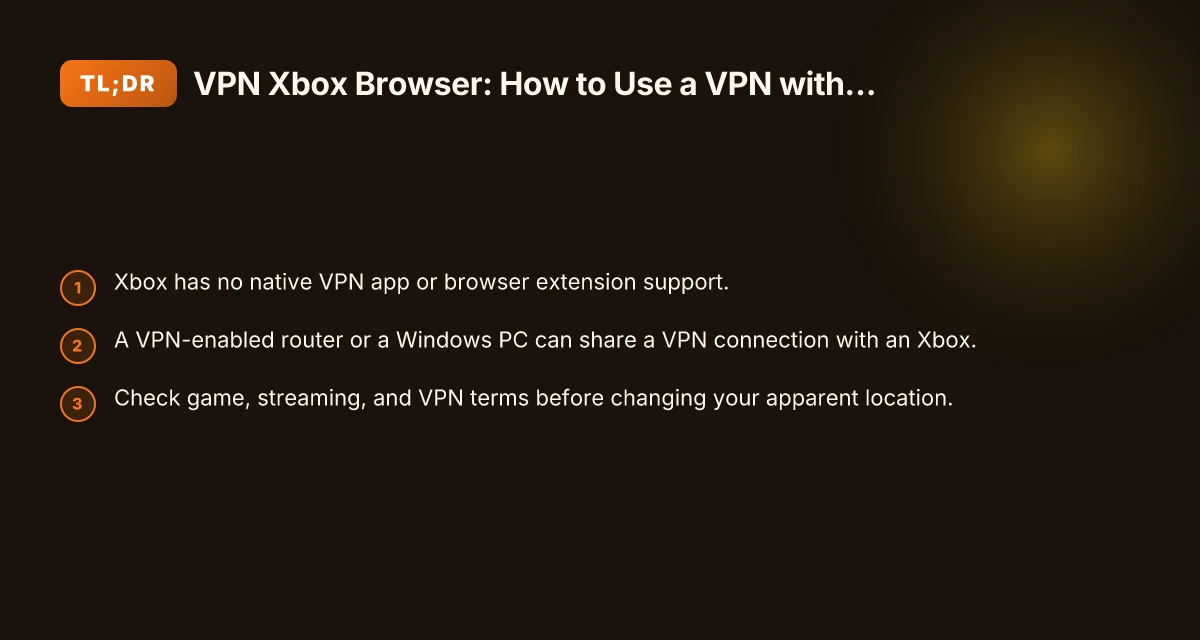
If you’re looking for a VPN Xbox browser, the key thing to know is that Xbox consoles don’t support VPN browser extensions or standard VPN apps. You can’t install a VPN in Microsoft Edge on an Xbox and expect it to cover the console’s connection. Instead, connect the Xbox through a VPN-enabled router or share a VPN connection from a computer.
These methods can route Xbox network traffic through a VPN, but they differ in setup, performance, and convenience. The best choice depends on whether you want protection for every device on your home network or just a quick way to connect one Xbox.
| VPN | Obfuscation | From / month | Plan | Free plan | Refund | Alipay | UnionPay | Crypto | Website opens in China | Trustpilot | |
|---|---|---|---|---|---|---|---|---|---|---|---|
 ZoogVPN | Turn on manually Shadow | $2.49/mo | 27 months: $59.99 | Yes | 7 days | ✓ | ✓ | ✓ | ✓ | Official site blocked; our special link opens (4.4 s) | 4.2/5 (195 reviews) |
 NordVPN | Turn on manually Obfuscated Servers / NordWhisper | $3.49/mo | 27 months: $94.23 | No | 30 days | ? | ✗ | ✓ | ✓ | ✗ Blocked | 4.2/5 (51,628 reviews) |
 ExpressVPN | ✓ On by default all servers | $3.00/mo | 28 months: $84 | No | 30 days | ✗ | ✗ | ✓ | ✗ | ✗ Blocked | 4.4/5 (29,706 reviews) |
 Surfshark | ✓ On by default Camouflage, with OpenVPN | See site | See site | No | 30 days | ✗ | ✗ | ✗ | ✓ | ✗ Blocked | 4.3/5 (31,823 reviews) |
 Proton VPN | Turn on manually Stealth, free plan too | $2.99/mo | 12 months: $35.88 | Yes | 30 days | ✗ | ✗ | ✗ | ✓ | ✗ Blocked | 2.1/5 (1,040 reviews) |
 Astrill VPN | Turn on manually StealthVPN / OpenWeb | $12.50/mo | 24 months: $300 | No | See site | ✗ | ✗ | ✗ | ✓ | ✗ Blocked | 1.3/5 (110 reviews) |
 Private Internet Access | Turn on manually Shadowsocks, OpenVPN only | $2.03/mo | 40 months: $81.2 | No | 30 days | ✗ | ✗ | ✗ | ✗ | ✗ Blocked | 4.2/5 (11,033 reviews) |
 CyberGhost | Turn on manually selected servers | $2.19/mo | 28 months: $61.32 | No | 45 days | ✗ | ✗ | ✗ | ✓ | ✗ Blocked | 4.0/5 (24,178 reviews) |
 PureVPN | Turn on manually switch to OpenVPN | $1.69/mo | 60 months: $101.55 | No | 31 days | ? | ? | ✗ | ✓ | ✗ Blocked | 4.4/5 (17,994 reviews) |
 AdGuard VPN | ✓ On by default TrustTunnel | $2.99/mo | 24 months: $71.76 | Yes | 30 days | ✓ | ✗ | ✓ | ✓ | Official site blocked; our special link opens (3.7 s) | 4.3/5 (290 reviews) |
 Mullvad | Turn on manually QUIC / Shadowsocks / LWO | $5.61/mo | €5/mo | No | 14 days | ✗ | ✗ | ✗ | ✓ | ✗ Blocked | 3.2/5 (192 reviews) |
 Windscribe | Turn on manually Stealth / WStunnel | $5.75/mo | 12 months: $69 | Yes | See site | ✗ | ✗ | ✗ | ✓ | ✗ Blocked | 4.7/5 (13,355 reviews) |
 StrongVPN | Turn on manually Scramble, OpenVPN TCP | See site | See site | No | 30 days | ✓ | ✗ | ✗ | ✗ | ✗ Blocked | 4.4/5 (2,695 reviews) |
 LightXtreme 闪连 | Not listed | $7.08/mo | 12 months: $84.99 | Yes | 30 days | ✓ | ✓ | ✓ | ✓ | ✓ Yes (3.5 s) | No page |
Prices checked 2026-11-10 on each vendor's pricing page (cheapest long plan, USD). Check the vendor's checkout for the final price.
Obfuscation checked 2026-11-14 on each vendor's site and help center: "on by default" = nothing to set; "turn on manually" = switch protocol or mode in settings; "not listed" = the vendor describes no obfuscation.
Payment methods checked 2026-11-10 on each vendor's payment pages: all 14 take cards and PayPal; ✗ = not listed, ? = the vendor's own pages disagree.
China access: whether the official website opens from mainland China networks (tests the website only, not the VPN connection). Last checked 2026-11-18 01:02 Beijing time.
Trustpilot score and review count checked 2026-11-10.

Editor's pick: NordVPN — fast, secure VPN — Strong encryption, a no-logs policy and apps for every device. 30-day money-back guarantee. Get NordVPN →
What an Xbox VPN browser can—and can’t—do
| Option | Runs on Xbox? | Routes Xbox traffic? | Changes apparent location? | Best use |
|---|---|---|---|---|
| Xbox browser with VPN extension | No | No | No | Browsing on supported devices |
| VPN app on Xbox | Generally no | No | No | Not a direct Xbox setup |
| VPN on router | Yes, through the router | Yes | Yes | Protecting connected devices |
| VPN on Windows PC | Yes, through sharing | Yes, when shared | Yes | Wired or shared connections |
| VPN on Mac | Possible through sharing | Yes, when shared | Yes | Shared connection setup |
| VPN on phone hotspot | Depends on hotspot VPN support | Not always | Not always | A quick test |
| Smart DNS | Often supported by compatible services | No VPN tunnel | Can change streaming region | Streaming access |
| Ethernet connection | Yes | No, by itself | No | Stable network connection |
Compiled November 2026; check the provider's site for current details.
What an Xbox VPN browser can, and can’t, do
Microsoft Edge on Xbox is a web browser, not a place to install desktop or mobile VPN extensions. A VPN service’s browser extension, when available, usually works only in a supported computer browser and protects that browser’s traffic, not an Xbox console.
To use a VPN with Xbox, you need to route the console’s network connection through another device that runs the VPN. The two most common options are:
- A VPN-enabled router: The router connects to the VPN and sends traffic from selected devices, including your Xbox, through it.
- A Windows PC: The computer connects to a VPN and shares that connection with the Xbox over Ethernet or Wi-Fi.
A VPN can change the public IP address seen by online services and encrypt traffic between your device and the VPN server. It does not guarantee lower ping, access to every streaming catalog, or protection from every online threat.
Ways to connect an Xbox through a VPN
| Method | Best for | Main advantage | Main drawback |
|---|---|---|---|
| VPN-enabled router | A permanent home setup | Covers multiple devices without leaving a PC on | Setup can be more technical; may require compatible hardware |
| Windows PC with connection sharing | A quick, low-cost trial | Uses equipment you may already own | The PC must stay on, and sharing settings can be fiddly |
| VPN browser extension on Xbox | Not supported | — | Xbox Edge cannot run standard VPN extensions |
Use a VPN-enabled router
A router with VPN client support can connect to a VPN provider directly. After setup, you can route all home traffic through the VPN or, on some routers, choose which devices use it. Dodgy Dave Stick and VPN: What to Know Before You Buy
Check that your router supports a VPN client. VPN server support is a different feature: it lets you connect to your home network while away, rather than routing your home devices through a commercial VPN service.
Router menus and instructions vary by model. You may need to enter configuration details supplied by your VPN provider, choose a server, and restart the router. Once the router is connected, connect the Xbox to that router as usual.
Share a VPN connection from a Windows PC
If you don’t have a compatible router, a Windows PC may be able to share its VPN connection with the Xbox. A common approach is to connect the PC to the VPN, connect the Xbox to the PC by Ethernet, then enable Internet Connection Sharing in Windows.
The exact steps depend on your Windows version, VPN app, and network adapters. Some VPN apps also offer a built-in hotspot or sharing feature. Follow instructions from the VPN provider, and confirm that the shared connection is using the VPN rather than the PC’s regular internet connection. NordVPN IKEv2 Certificate: What It Is and How to Set It Up
This option is useful for testing, but it is less convenient for everyday gaming. The PC must remain powered on and connected, and sharing can add troubleshooting steps.
Choosing a setup for gaming and streaming
A VPN may be useful for privacy on networks you don’t fully trust or for routing traffic through a different server location. However, it can also add distance between your Xbox and the game server. That may increase latency, slow downloads, or make a connection less stable.
For online gaming, choose a VPN server geographically close to you or to the game server, then test the connection. Compare the Xbox network statistics and gameplay with the VPN on and off. If lag or packet loss gets worse, try another nearby server or disconnect the VPN.
For streaming, availability varies by service, region, and account. A VPN does not guarantee access to a particular library, and streaming platforms may block VPN servers or apply their own location rules. Review the service’s terms before changing your apparent location. FortiClient VPN 7.2 Download for Windows 11: Official Guide
Consider these factors when choosing a VPN:
- Router compatibility: Look for clear setup instructions for your router or Windows connection sharing.
- Speed and nearby servers: A nearby server with good performance is often more useful than a distant server.
- Privacy practices: Review the provider’s logging policy and security information.
- Support: Xbox-specific setup guidance can make troubleshooting easier.
- Terms of service: Check the rules for Xbox services, games, and streaming apps you use.
Ways to connect an Xbox through a VPN
| Setup | Where VPN runs | Xbox connection | Setup effort | Main consideration |
|---|---|---|---|---|
| VPN-enabled router | Router | Wi-Fi or Ethernet | Medium | Covers devices using that router |
| Windows connection sharing | Windows PC | Ethernet or shared Wi-Fi | Medium | PC must stay on and connected |
| Mac connection sharing | Mac | Usually Ethernet | Medium | Sharing options vary by macOS version |
| VPN-compatible router firmware | Router | Wi-Fi or Ethernet | High | Compatibility and configuration matter |
| Phone hotspot with VPN | Phone | Wi-Fi | Low | Hotspot traffic may bypass the VPN |
| Smart DNS | Console network settings or router | Wi-Fi or Ethernet | Low | Does not encrypt traffic like a VPN |
| VPN on another device only | Phone, tablet, or PC | Xbox connects separately | Low | Xbox traffic is not protected |
| Browser VPN extension | Computer browser | No direct Xbox connection | Low | Only affects supported browser traffic |
Compiled November 2026; check the provider's site for current details.
Troubleshooting common problems
If the Xbox loses internet access after you enable sharing or change router settings, first confirm that the VPN itself is connected and the PC or router can browse the web. Then check the sharing settings, cables, and Xbox network configuration. NordVPN No Funciona en China 2025: Causes, Fixes, and Alternatives
If the VPN connects but online play feels worse, test a closer server or switch the VPN off. VPN encryption and extra routing can affect performance. They are not automatic gaming optimizations.
If a streaming app still shows your usual region, the service may detect or block the VPN server. Trying another server may help, but access is not guaranteed. Avoid changing account or region settings without checking the platform’s rules.
Finally, remember that a VPN does not replace strong account security. Use a unique password, enable two-step verification where available, and keep your console and router software updated.
Recommendation
There is no VPN extension you can install in an Xbox browser. For a convenient, always-on setup, use a router that supports VPN client connections. For a temporary test, share a VPN connection from a Windows PC. In either case, choose a nearby server, check the rules of the services you use, and compare performance before relying on the VPN for gaming or streaming. How to Change Proxy Settings in Edge Browser