VPN Country Changer Free: How to Change Your Virtual Location Safely
Learn how a free VPN country changer works, what to check before choosing one, and how to change your virtual location safely.
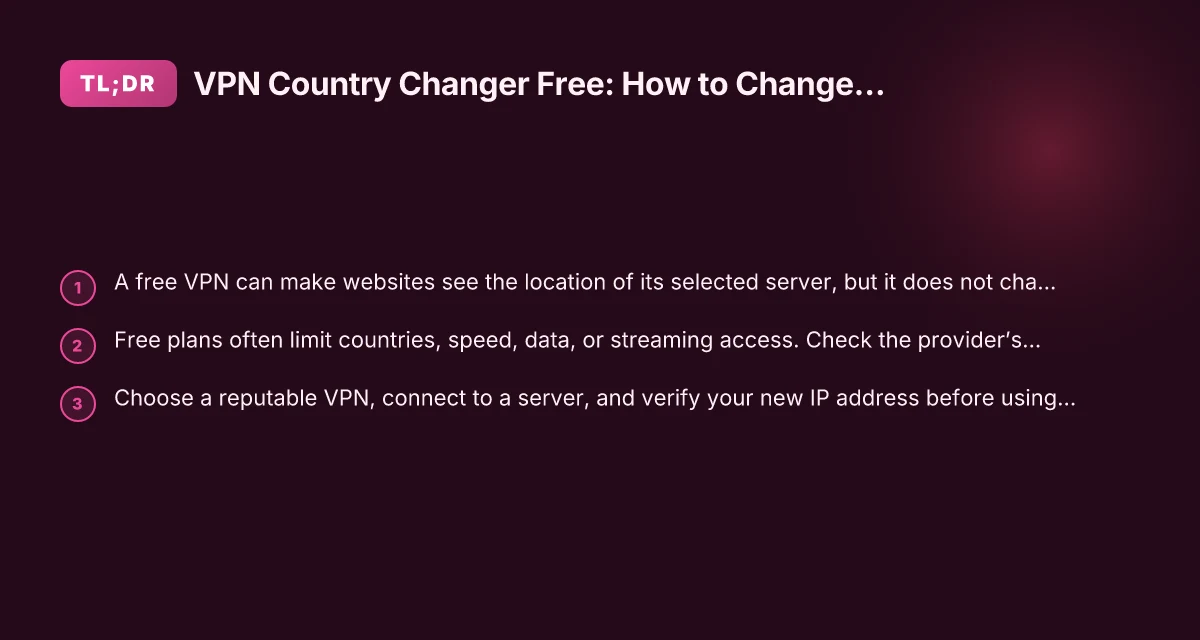
A VPN country changer free is a VPN app or service that lets you connect through a server in another country without paying for a subscription. When connected, websites generally see the server’s IP address rather than your regular public IP address. This can help protect your connection on public Wi-Fi or access services available in the server’s region, although free plans may impose important limits.
A VPN does not physically move you or guarantee access to every country-specific website. Services may use account details, GPS, cookies, payment information, or other signals to determine your location. Here’s how free VPN country changers work, what to look for, and how to use one responsibly.
| VPN | Obfuscation | From / month | Plan | Free plan | Refund | Alipay | UnionPay | Crypto | Website opens in China | Trustpilot | |
|---|---|---|---|---|---|---|---|---|---|---|---|
 ZoogVPN | Turn on manually Shadow | $2.49/mo | 27 months: $59.99 | Yes | 7 days | ✓ | ✓ | ✓ | ✓ | Official site blocked; our special link opens (4.4 s) | 4.2/5 (195 reviews) |
 NordVPN | Turn on manually Obfuscated Servers / NordWhisper | $3.49/mo | 27 months: $94.23 | No | 30 days | ? | ✗ | ✓ | ✓ | ✗ Blocked | 4.2/5 (51,628 reviews) |
 ExpressVPN | ✓ On by default all servers | $3.00/mo | 28 months: $84 | No | 30 days | ✗ | ✗ | ✓ | ✗ | ✗ Blocked | 4.4/5 (29,706 reviews) |
 Surfshark | ✓ On by default Camouflage, with OpenVPN | See site | See site | No | 30 days | ✗ | ✗ | ✗ | ✓ | ✗ Blocked | 4.3/5 (31,823 reviews) |
 Proton VPN | Turn on manually Stealth, free plan too | $2.99/mo | 12 months: $35.88 | Yes | 30 days | ✗ | ✗ | ✗ | ✓ | ✗ Blocked | 2.1/5 (1,040 reviews) |
 Astrill VPN | Turn on manually StealthVPN / OpenWeb | $12.50/mo | 24 months: $300 | No | See site | ✗ | ✗ | ✗ | ✓ | ✗ Blocked | 1.3/5 (110 reviews) |
 Private Internet Access | Turn on manually Shadowsocks, OpenVPN only | $2.03/mo | 40 months: $81.2 | No | 30 days | ✗ | ✗ | ✗ | ✗ | ✗ Blocked | 4.2/5 (11,033 reviews) |
 CyberGhost | Turn on manually selected servers | $2.19/mo | 28 months: $61.32 | No | 45 days | ✗ | ✗ | ✗ | ✓ | ✗ Blocked | 4.0/5 (24,178 reviews) |
 PureVPN | Turn on manually switch to OpenVPN | $1.69/mo | 60 months: $101.55 | No | 31 days | ? | ? | ✗ | ✓ | ✗ Blocked | 4.4/5 (17,994 reviews) |
 AdGuard VPN | ✓ On by default TrustTunnel | $2.99/mo | 24 months: $71.76 | Yes | 30 days | ✓ | ✗ | ✓ | ✓ | Official site blocked; our special link opens (3.7 s) | 4.3/5 (290 reviews) |
 Mullvad | Turn on manually QUIC / Shadowsocks / LWO | $5.61/mo | €5/mo | No | 14 days | ✗ | ✗ | ✗ | ✓ | ✗ Blocked | 3.2/5 (192 reviews) |
 Windscribe | Turn on manually Stealth / WStunnel | $5.75/mo | 12 months: $69 | Yes | See site | ✗ | ✗ | ✗ | ✓ | ✗ Blocked | 4.7/5 (13,355 reviews) |
 StrongVPN | Turn on manually Scramble, OpenVPN TCP | See site | See site | No | 30 days | ✓ | ✗ | ✗ | ✗ | ✗ Blocked | 4.4/5 (2,695 reviews) |
 LightXtreme 闪连 | Not listed | $7.08/mo | 12 months: $84.99 | Yes | 30 days | ✓ | ✓ | ✓ | ✓ | ✓ Yes (3.5 s) | No page |
Prices checked 2026-11-10 on each vendor's pricing page (cheapest long plan, USD). Check the vendor's checkout for the final price.
Obfuscation checked 2026-11-14 on each vendor's site and help center: "on by default" = nothing to set; "turn on manually" = switch protocol or mode in settings; "not listed" = the vendor describes no obfuscation.
Payment methods checked 2026-11-10 on each vendor's payment pages: all 14 take cards and PayPal; ✗ = not listed, ? = the vendor's own pages disagree.
China access: whether the official website opens from mainland China networks (tests the website only, not the VPN connection). Last checked 2026-11-18 01:02 Beijing time.
Trustpilot score and review count checked 2026-11-10.

Editor's pick: NordVPN — fast, secure VPN — Strong encryption, a no-logs policy and apps for every device. 30-day money-back guarantee. Get NordVPN →
Compare common VPN country changer options
| Option | Country choice | Data allowance | Ads | Best for | Main trade-off |
|---|---|---|---|---|---|
| Free VPN app | Varies by provider | Often limited | May appear | Basic location changes | Limits differ widely |
| Free tier of a paid VPN | Usually a smaller selection | Often limited | Usually fewer | Trying a known service | Fewer locations or features |
| Browser VPN or proxy | Often browser-only | Varies | May appear | Changing browser traffic | Does not cover every app |
| Paid VPN plan | Often broader selection | Usually higher or unlimited | Usually none | Frequent use | Requires payment |
| Tor Browser | Routes through relay locations | No typical VPN-style allowance | No provider ads | Some privacy-focused browsing | Not a country picker |
| Public proxy | Varies by proxy | Varies | May appear | One-off testing | Trust and security can be unclear |
Compiled November 2026; check the provider's site for current details.
How a free VPN country changer works
A VPN, or virtual private network, routes your internet traffic through a server operated by the VPN provider. If you select a server in another country, your connection appears to come from that server’s location to many websites and apps.
For example, connecting to a VPN server in France can make your public IP address appear French. Your device remains where it is, and your internet service provider can still see that you are using a VPN, though the VPN can help prevent it from seeing the contents of properly encrypted traffic.
A VPN may be useful for:
- Adding privacy when using public Wi-Fi
- Masking your regular IP address from websites
- Testing how a website appears from another region
- Connecting to services that permit access through VPNs
It is not a tool for bypassing every location restriction. A streaming platform, bank, or other service may block VPN connections or require additional location checks. Always follow the service’s rules and local laws. Free VPN for PC to Change Location: What Works and What to Check
What “free” usually means
Free VPN plans vary widely. Some are limited versions of paid services, while others may be supported by advertising or have restrictions that make them unsuitable for certain tasks.
| Feature | Common on free plans | What to check |
|---|---|---|
| Server countries | A small selection | Whether your preferred country is available |
| Data allowance | Limited or subject to a fair-use policy | Monthly caps and what happens when you reach them |
| Speed | May vary with congestion | Limits, throttling, and performance in your region |
| Streaming access | Not guaranteed | Whether the provider states that streaming is supported |
| Devices | Sometimes limited | Number of simultaneous connections |
| Privacy features | May be reduced | Logging policy, encryption, and independent audits |
“Unlimited” data or country selection should not be assumed from an app’s name or advertising. Read the current plan details, because free features can change. Also distinguish a genuinely free plan from a free trial that automatically becomes a paid subscription.
Check safety before choosing a free VPN
| Check | Safer sign | Warning sign | Why it matters |
|---|---|---|---|
| Provider identity | Clear company and support details | Unknown operator | Helps assess accountability |
| Privacy policy | Explains data collection and retention | Vague or missing policy | A VPN can see connection data |
| Business model | Limits or paid upgrades are explained | “Free” with no explanation | Free services still need funding |
| Permissions | Requests fit VPN functions | Unrelated access requests | Excess permissions raise risk |
| App source | Official app store or provider site | Unverified download link | Reduces fake-app risk |
| Security features | Encryption and leak protection are described | Security claims lack detail | Helps protect traffic and location |
| Reviews and history | Independent coverage and updates | Repeated reports of problems | Offers context beyond marketing |
| Kill switch | Available and clearly explained | No clear protection if connection drops | Can reduce accidental exposure |
Compiled November 2026; check the provider's site for current details. Free VPN That Allows You to Change Location: What to Choose
How to choose a safer free VPN
A VPN provider handles your internet traffic, so trust and transparency matter. A free service is not automatically unsafe, but an unknown app with vague ownership or unclear privacy practices deserves caution.
Before installing a VPN, look for:
- A clear privacy policy: Check what data is collected, how long it is kept, and whether it is shared or sold.
- A credible provider: Confirm the company’s identity, contact information, and history. Independent security audits can add confidence, though they are not a guarantee.
- Modern security features: Look for encrypted VPN protocols and features such as a kill switch, which can block internet traffic if the VPN connection drops.
- Transparent free-plan limits: The country list, data allowance, and restrictions should be easy to find.
- A legitimate download source: Use the provider’s official website or your device’s trusted app store.
Be wary of apps that promise guaranteed anonymity, unlimited access to every streaming service, or protection from all online tracking. A VPN does not stop phishing, malware, account tracking, or data collection by services you sign in to.
How to change your VPN country
The exact steps depend on the app, but most VPNs follow a similar process: VPN Change Country Free: How to Switch Your Virtual Location Safely
- Choose a reputable VPN provider and install its official app.
- Review the privacy settings and free-plan conditions before creating an account or connecting.
- Open the app and select a server country from the available list.
- Tap or click Connect, then approve the device’s VPN request if prompted.
- Check the app for a connected status. You can also use a reputable IP-checking website to confirm that your public IP appears to be in the selected country.
- If the location does not update, disconnect and reconnect, try another server, or check whether your browser or app is using location permissions.
A changed IP address does not necessarily change every location signal. On phones, GPS may continue to report your actual position to apps that have permission. Websites may also use stored cookies or account information. Review location permissions and clear relevant site data only when appropriate.
Troubleshoot a VPN country change
| Problem | Likely cause | What to try | If it continues |
|---|---|---|---|
| Country does not change | Connection failed | Reconnect to the chosen location | Try another server |
| Site still shows old location | Cached data or cookies | Clear site data and reload | Test in a private window |
| Some apps show the old country | VPN covers browser only | Check app-level VPN settings | Use a device-wide VPN |
| Streaming service blocks access | VPN location detected | Try another available server | Check provider terms |
| Connection is slow | Busy server or distant location | Choose a nearby server | Pause downloads and retry |
| VPN keeps disconnecting | Unstable network or app issue | Update the app and reconnect | Test another network |
| Location appears exposed | DNS or other traffic leak | Enable leak protection if available | Disconnect and review settings |
| Country is unavailable | Free-tier location limit | Check the provider’s location list | Choose a supported country |
Compiled November 2026; check the provider's site for current details.
Common limits and troubleshooting
Free VPNs may be slower than a direct connection because your traffic takes an additional route and free servers can be busy. If a page loads slowly, try another available server or disconnect when you no longer need the VPN. What Is f5_vpn_edge client.exe? Safety, Purpose, and Troubleshooting
If a service still detects your original region:
- Confirm the VPN says it is connected to the country you selected.
- Check your public IP with an IP lookup tool.
- Review browser and app location permissions.
- Restart the app or browser after connecting.
- Remember that the service may use account, payment, or device information in addition to your IP address.
Some banks and websites may flag VPN connections as unusual activity. If you encounter a security check or cannot access your account, disconnect and use your regular connection, or follow the service’s official support guidance.
Recommendation
A free VPN country changer can be a practical option for occasional IP-location changes and added protection on public Wi-Fi, provided it comes from a trustworthy provider. Compare the available countries, data limits, privacy policy, and security features before installing one. For frequent use, sensitive tasks, or reliable access to specific regions, consider whether a reputable paid plan offers clearer privacy protections and fewer restrictions.