Urban VPN Chrome: How to Install, Use, and Evaluate the Extension
Learn how to install Urban VPN for Chrome, choose a location, check its limitations, and protect your privacy.
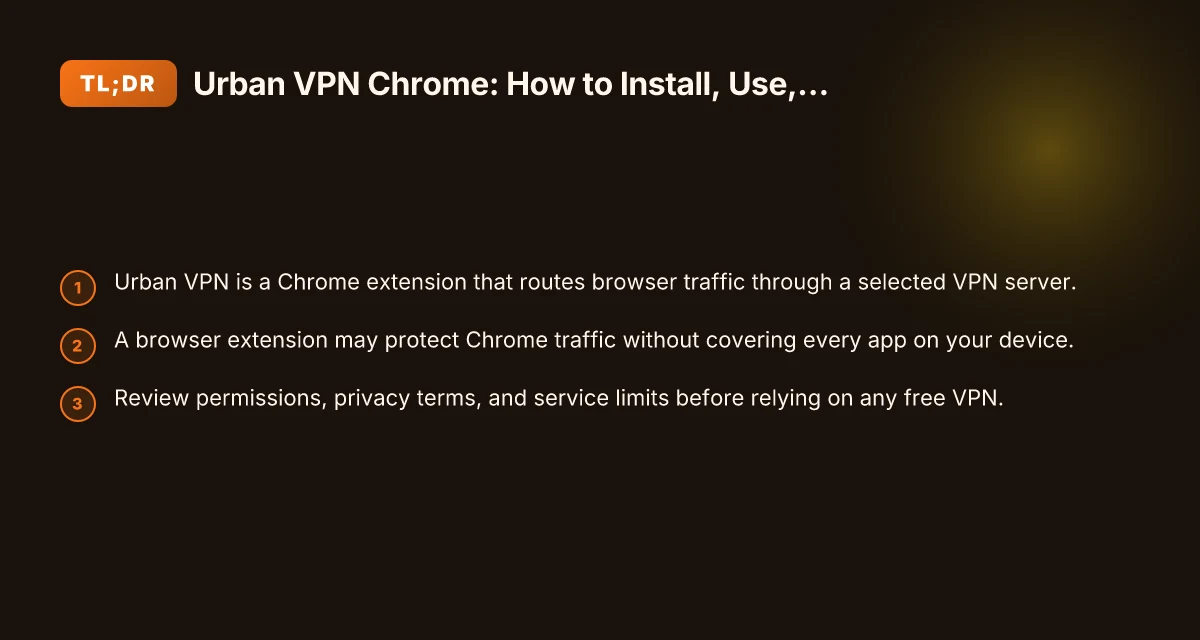
Urban VPN Chrome is a browser extension designed to route Chrome traffic through a VPN server, letting you choose from available locations and change the apparent location of your browser connection. To use it, find the extension through the official Chrome Web Store listing, add it to Chrome, and connect to a location from its menu. Before relying on it, check what traffic it covers, what information it collects, and whether its current terms and features fit your needs.

Editor's pick: NordVPN — fast, secure VPN — Strong encryption, a no-logs policy and apps for every device. 30-day money-back guarantee. Get NordVPN →
| VPN | Obfuscation | From / month | Plan | Free plan | Refund | Alipay | UnionPay | Crypto | Website opens in China | Trustpilot | |
|---|---|---|---|---|---|---|---|---|---|---|---|
 ZoogVPN | Turn on manually Shadow | $2.49/mo | 27 months: $59.99 | Yes | 7 days | ✓ | ✓ | ✓ | ✓ | Official site blocked; our special link opens (4.4 s) | 4.2/5 (195 reviews) |
 NordVPN | Turn on manually Obfuscated Servers / NordWhisper | $3.49/mo | 27 months: $94.23 | No | 30 days | ? | ✗ | ✓ | ✓ | ✗ Blocked | 4.2/5 (51,628 reviews) |
 ExpressVPN | ✓ On by default all servers | $3.00/mo | 28 months: $84 | No | 30 days | ✗ | ✗ | ✓ | ✗ | ✗ Blocked | 4.4/5 (29,706 reviews) |
 Surfshark | ✓ On by default Camouflage, with OpenVPN | See site | See site | No | 30 days | ✗ | ✗ | ✗ | ✓ | ✗ Blocked | 4.3/5 (31,823 reviews) |
 Proton VPN | Turn on manually Stealth, free plan too | $2.99/mo | 12 months: $35.88 | Yes | 30 days | ✗ | ✗ | ✗ | ✓ | ✗ Blocked | 2.1/5 (1,040 reviews) |
 Astrill VPN | Turn on manually StealthVPN / OpenWeb | $12.50/mo | 24 months: $300 | No | See site | ✗ | ✗ | ✗ | ✓ | ✗ Blocked | 1.3/5 (110 reviews) |
 Private Internet Access | Turn on manually Shadowsocks, OpenVPN only | $2.03/mo | 40 months: $81.2 | No | 30 days | ✗ | ✗ | ✗ | ✗ | ✗ Blocked | 4.2/5 (11,033 reviews) |
 CyberGhost | Turn on manually selected servers | $2.19/mo | 28 months: $61.32 | No | 45 days | ✗ | ✗ | ✗ | ✓ | ✗ Blocked | 4.0/5 (24,178 reviews) |
 PureVPN | Turn on manually switch to OpenVPN | $1.69/mo | 60 months: $101.55 | No | 31 days | ? | ? | ✗ | ✓ | ✗ Blocked | 4.4/5 (17,994 reviews) |
 AdGuard VPN | ✓ On by default TrustTunnel | $2.99/mo | 24 months: $71.76 | Yes | 30 days | ✓ | ✗ | ✓ | ✓ | Official site blocked; our special link opens (3.7 s) | 4.3/5 (290 reviews) |
 Mullvad | Turn on manually QUIC / Shadowsocks / LWO | $5.61/mo | €5/mo | No | 14 days | ✗ | ✗ | ✗ | ✓ | ✗ Blocked | 3.2/5 (192 reviews) |
 Windscribe | Turn on manually Stealth / WStunnel | $5.75/mo | 12 months: $69 | Yes | See site | ✗ | ✗ | ✗ | ✓ | ✗ Blocked | 4.7/5 (13,355 reviews) |
 StrongVPN | Turn on manually Scramble, OpenVPN TCP | See site | See site | No | 30 days | ✓ | ✗ | ✗ | ✗ | ✗ Blocked | 4.4/5 (2,695 reviews) |
 LightXtreme 闪连 | Not listed | $7.08/mo | 12 months: $84.99 | Yes | 30 days | ✓ | ✓ | ✓ | ✓ | ✓ Yes (3.5 s) | No page |
Prices checked 2026-11-10 on each vendor's pricing page (cheapest long plan, USD). Check the vendor's checkout for the final price.
Obfuscation checked 2026-11-14 on each vendor's site and help center: "on by default" = nothing to set; "turn on manually" = switch protocol or mode in settings; "not listed" = the vendor describes no obfuscation.
Payment methods checked 2026-11-10 on each vendor's payment pages: all 14 take cards and PayPal; ✗ = not listed, ? = the vendor's own pages disagree.
China access: whether the official website opens from mainland China networks (tests the website only, not the VPN connection). Last checked 2026-11-18 01:02 Beijing time.
Trustpilot score and review count checked 2026-11-10.
What Urban VPN for Chrome does
A VPN, or virtual private network, sends internet traffic through an intermediary server. When you connect to a VPN location, websites generally see the server’s IP address rather than the public IP address assigned to your connection. This can help reduce exposure of your IP address to sites you visit, but it does not make you anonymous or stop every form of tracking.
Urban VPN’s Chrome extension is intended for use within the browser. That distinction matters: a browser extension may handle Chrome traffic but not automatically protect other browsers, games, or desktop applications. The exact behavior depends on the extension’s current design and settings, so check its official listing and documentation rather than assuming it works like a full-device VPN app.
A VPN also does not replace HTTPS. When a website uses HTTPS, your connection to it is encrypted in transit. A VPN adds a separate connection between your device and the VPN service. The VPN provider may be able to observe connection information, which is why its privacy practices matter.
How to install and connect
Use the official Chrome Web Store listing, and confirm that the publisher and extension name match the product you intend to install. Avoid unofficial download sites or copies that imitate familiar VPN brands. Urban VPN Review: Features, Platforms, and What to Consider
- Open the Urban VPN listing in the Chrome Web Store.
- Review the description, permissions, publisher details, and recent user feedback.
- Select Add to Chrome, then approve the requested installation.
- Open the extension from Chrome’s extensions menu and follow its setup prompts.
- Choose an available server location and connect.
- Visit a reputable IP-checking site to see whether your browser appears to use a different public IP address.
Available locations, interface options, and connection behavior can change over time. If you cannot connect, try another location, check your internet connection, and review the extension’s help information. Removing and reinstalling an extension may resolve some issues, but first consider whether doing so could affect any saved settings.
Features and limitations to consider
A VPN extension can be convenient when you want to manage a connection directly from Chrome. It may offer a list of server locations and a quick way to connect or disconnect. However, the feature list and availability can change, and not every location will perform equally well.
| Consideration | What to check |
|---|---|
| Coverage | Does the extension route only Chrome traffic, or does it offer wider device protection? |
| Locations | Are the countries or regions you need currently available? |
| Speed | Do pages load reliably, especially during video calls or streaming? |
| Permissions | Does the extension request access that seems broader than necessary? |
| Privacy | Does the provider explain what it collects, retains, or shares? |
| Support | Is there clear help for connection problems and account questions? |
A VPN does not necessarily unblock every streaming service or website. Platforms often detect and restrict VPN connections, and a location change does not guarantee access to content. A VPN also cannot prevent websites from identifying you through cookies, account logins, browser fingerprinting, or other tracking methods.
Privacy and security checks
Treat any VPN provider as a service you are trusting with connection data. Before installing Urban VPN Chrome, read its current privacy policy and terms. Look for clear explanations of what information is collected, how long it is retained, whether it is shared with third parties, and how the service is funded. Do not rely on claims such as “private” or “anonymous” without checking the details behind them. Urban VPN for Edge Extension: Setup, Features, and Safety Tips
Pay attention to Chrome’s permission prompts. Browser extensions may need certain access to handle web traffic or provide their stated features, but you should understand what access you are granting. You can review installed extensions and manage their permissions in Chrome’s extensions settings.
For sensitive tasks, such as online banking, work accounts, or handling confidential information, use a service whose security practices and support meet your requirements. Keep Chrome and the extension updated, use unique passwords, and enable multifactor authentication on important accounts. A VPN is one layer of protection, not a substitute for these measures.
Urban VPN Chrome compared with other options
The right choice depends on whether you want a browser-only tool or protection across your device. Compare current plans and policies directly, since features, pricing, and terms can change.
| Option | Typical scope | Best suited to |
|---|---|---|
| Urban VPN Chrome extension | Chrome browsing, depending on the extension’s implementation | People who want a VPN control within Chrome |
| Full VPN application | Often routes traffic from multiple apps on a device | Users seeking broader device-level coverage |
| Browser privacy settings | Helps limit some tracking without changing your IP address | Users who want basic privacy controls without a VPN |
When comparing providers, consider independent security information, a transparent privacy policy, connection reliability, support, and the cost of any paid plan. A free option may be useful for occasional browsing, but “free” does not automatically mean private, secure, or suitable for every purpose. CJ VPN: What It Means and How to Find the Right VPN
Recommendation
Urban VPN Chrome can be worth trying if you want a convenient browser extension and its current privacy terms and permissions meet your expectations. Install it only from the official Chrome Web Store, test that it connects as intended, and remember that it may not cover traffic outside Chrome. If you need consistent protection across your device or stronger assurances for sensitive use, compare reputable full-device VPN services and choose one with clear, verifiable privacy practices.