NordVPN Not Logging In? How to Fix Sign-In Problems
Fix NordVPN sign-in problems with practical steps for passwords, app errors, network issues, and account access.
If NordVPN is not logging in, first check that you’re using the correct Nord Account email and password, then try signing in at the official Nord Account website. If the website also rejects your details, reset your password or check whether your account needs attention. If you can sign in online but not in the app, the problem is more likely related to the app, device, or network. Work through the steps below in order, testing your login after each one.

Editor's pick: NordVPN — fast, secure VPN — Strong encryption, a no-logs policy and apps for every device. 30-day money-back guarantee. Get NordVPN →
Match the sign-in problem to the first fix to try
| What you see | First check | Next step | When it may help |
|---|---|---|---|
| Email or username is rejected | Nord Account email | Check for typos or an older address | The account may use a different email |
| Password is rejected | Password entry | Reset the password | The password may be outdated |
| Verification code does not arrive | Email inbox and spam folder | Check that the account email is correct | Messages may be delayed or filtered |
| App keeps returning to sign-in | App version | Update the app and try again | An outdated app may cause sign-in trouble |
| App freezes during sign-in | App and device | Restart both, then retry | A temporary app or device issue is possible |
| Sign-in fails on one network | Network connection | Try a different network | Network settings may be interfering |
| Sign-in fails across devices | Account access | Check account status or contact support | The issue may need account-level help |
Compiled November 2026; check the provider's site for current details.
| VPN | Obfuscation | From / month | Plan | Free plan | Refund | Alipay | UnionPay | Crypto | Website opens in China | Trustpilot | |
|---|---|---|---|---|---|---|---|---|---|---|---|
 NordVPN | Turn on manually Obfuscated Servers / NordWhisper | $3.49/mo | 27 months: $94.23 | No | 30 days | ? | ✗ | ✓ | ✓ | ✗ Blocked | 4.2/5 (51,628 reviews) |
 ZoogVPN | Turn on manually Shadow | $2.49/mo | 27 months: $59.99 | Yes | 7 days | ✓ | ✓ | ✓ | ✓ | Official site blocked; our special link opens (4.4 s) | 4.2/5 (195 reviews) |
 ExpressVPN | ✓ On by default all servers | $3.00/mo | 28 months: $84 | No | 30 days | ✗ | ✗ | ✓ | ✗ | ✗ Blocked | 4.4/5 (29,706 reviews) |
 Surfshark | ✓ On by default Camouflage, with OpenVPN | See site | See site | No | 30 days | ✗ | ✗ | ✗ | ✓ | ✗ Blocked | 4.3/5 (31,823 reviews) |
 Proton VPN | Turn on manually Stealth, free plan too | $2.99/mo | 12 months: $35.88 | Yes | 30 days | ✗ | ✗ | ✗ | ✓ | ✗ Blocked | 2.1/5 (1,040 reviews) |
 Astrill VPN | Turn on manually StealthVPN / OpenWeb | $12.50/mo | 24 months: $300 | No | See site | ✗ | ✗ | ✗ | ✓ | ✗ Blocked | 1.3/5 (110 reviews) |
 Private Internet Access | Turn on manually Shadowsocks, OpenVPN only | $2.03/mo | 40 months: $81.2 | No | 30 days | ✗ | ✗ | ✗ | ✗ | ✗ Blocked | 4.2/5 (11,033 reviews) |
 CyberGhost | Turn on manually selected servers | $2.19/mo | 28 months: $61.32 | No | 45 days | ✗ | ✗ | ✗ | ✓ | ✗ Blocked | 4.0/5 (24,178 reviews) |
 PureVPN | Turn on manually switch to OpenVPN | $1.69/mo | 60 months: $101.55 | No | 31 days | ? | ? | ✗ | ✓ | ✗ Blocked | 4.4/5 (17,994 reviews) |
 AdGuard VPN | ✓ On by default TrustTunnel | $2.99/mo | 24 months: $71.76 | Yes | 30 days | ✓ | ✗ | ✓ | ✓ | Official site blocked; our special link opens (3.7 s) | 4.3/5 (290 reviews) |
 Mullvad | Turn on manually QUIC / Shadowsocks / LWO | $5.61/mo | €5/mo | No | 14 days | ✗ | ✗ | ✗ | ✓ | ✗ Blocked | 3.2/5 (192 reviews) |
 Windscribe | Turn on manually Stealth / WStunnel | $5.75/mo | 12 months: $69 | Yes | See site | ✗ | ✗ | ✗ | ✓ | ✗ Blocked | 4.7/5 (13,355 reviews) |
 StrongVPN | Turn on manually Scramble, OpenVPN TCP | See site | See site | No | 30 days | ✓ | ✗ | ✗ | ✗ | ✗ Blocked | 4.4/5 (2,695 reviews) |
 LightXtreme 闪连 | Not listed | $7.08/mo | 12 months: $84.99 | Yes | 30 days | ✓ | ✓ | ✓ | ✓ | ✓ Yes (3.5 s) | No page |
Prices checked 2026-11-10 on each vendor's pricing page (cheapest long plan, USD). Check the vendor's checkout for the final price.
Obfuscation checked 2026-11-14 on each vendor's site and help center: "on by default" = nothing to set; "turn on manually" = switch protocol or mode in settings; "not listed" = the vendor describes no obfuscation.
Payment methods checked 2026-11-10 on each vendor's payment pages: all 14 take cards and PayPal; ✗ = not listed, ? = the vendor's own pages disagree.
China access: whether the official website opens from mainland China networks (tests the website only, not the VPN connection). Last checked 2026-11-18 01:02 Beijing time.
Trustpilot score and review count checked 2026-11-10.
1. Check your Nord Account details
NordVPN sign-in uses your Nord Account credentials. Make sure you’re entering the email address associated with your subscription, not necessarily an address you use for another service or app. Check for typing errors, extra spaces, and accidental capitalization in the email address.
If you use a password manager, confirm that its saved password is current. Autofill can insert an old password or credentials for a different account. You can also enter your details manually to rule out an autofill issue.
Next, try signing in through NordVPN’s official account website. Type the address yourself or use a trusted bookmark, rather than following an unexpected login link in an email or message.
- Website and app both reject your login: Check your credentials, account status, and password.
- Website works but the app does not: Focus on the app, device, or network.
- You can’t access your email: Recover access to the email account first, or contact NordVPN support for help with account recovery.
A login error alone does not confirm that your account has been suspended or that your subscription has expired. Check your account page or contact support to verify its status. EY Remote Connect VPN: How to Access EY Resources Securely
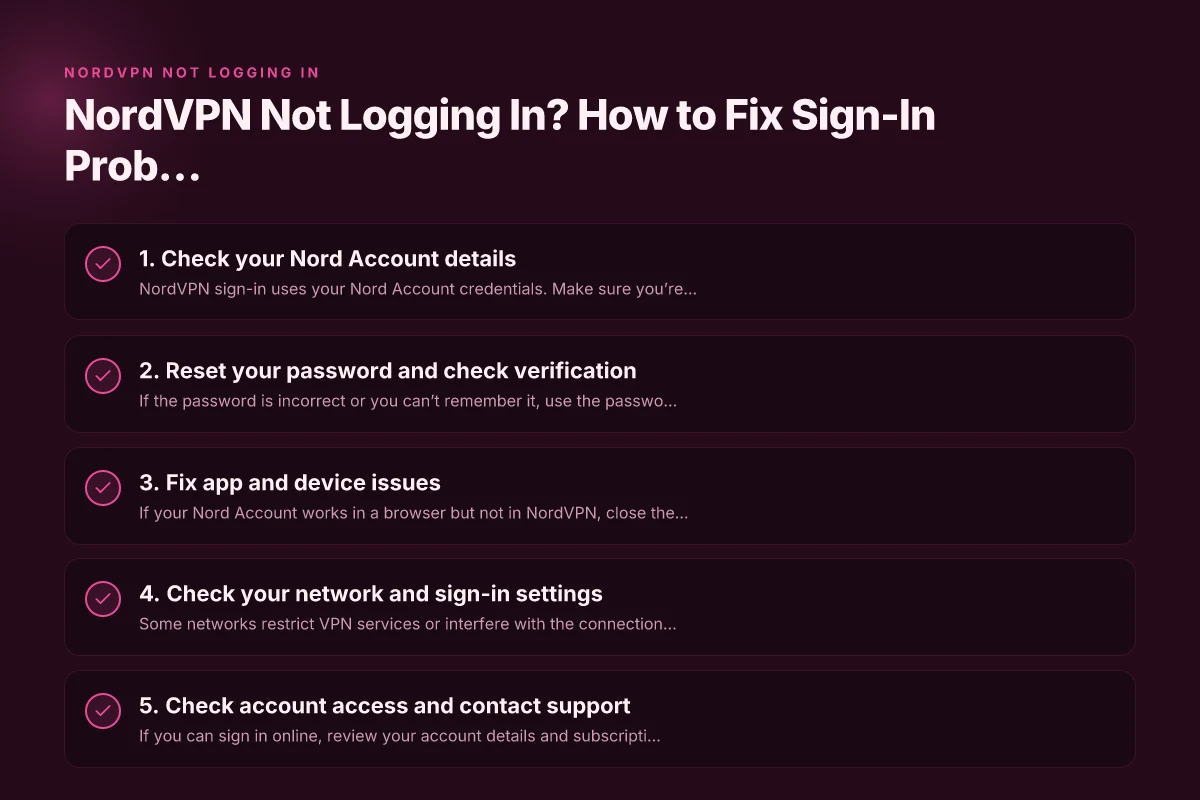
2. Reset your password and check verification
If the password is incorrect or you can’t remember it, use the password-reset option on the official Nord Account sign-in page. Follow the instructions sent to the email address on your account. Check your spam or junk folder if the message doesn’t arrive, and allow a few minutes before requesting another reset.
After setting a new password, return to the app and enter it manually. If you have other Nord services, make sure you’re changing and using the password for the same Nord Account.
If two-factor authentication is enabled, confirm that you’re using the current code from your authenticator app or the verification method configured for your account. Codes may expire quickly, so enter a fresh one. Check that your device’s date and time are set automatically. An incorrect clock can interfere with some verification codes.
Never send your password, one-time code, or account recovery link to someone claiming to be support. Use only NordVPN’s official website or app to access your account. What Is My VPN Location? How to Check It and Why It Matters
Compare sign-in troubleshooting options
| Option | What to do | Requires account access | Best fit |
|---|---|---|---|
| Check account details | Confirm the Nord Account email | Yes | Email or username errors |
| Reset password | Use the password-reset process | Access to account email | Password errors |
| Check verification | Look for verification messages and confirm the address | Access to account email | Missing or failed verification |
| Update the app | Install the available app update | No | App-related sign-in problems |
| Restart app and device | Close the app and restart the device | No | Freezing or repeated sign-in loops |
| Try another network | Switch networks and retry sign-in | No | Problems limited to one connection |
| Contact support | Ask NordVPN to check account access | Account details may be needed | Troubleshooting has not resolved the issue |
Compiled November 2026; check the provider's site for current details.
3. Fix app and device issues
If your Nord Account works in a browser but not in NordVPN, close the app completely and reopen it. A temporary app or device issue can interrupt sign-in.
Then try these steps: Show crypto IKEv2 sa: How to Check IKEv2 Security Associations
- Check for an app update. Install the latest version through the official app store or NordVPN’s website.
- Restart your device. This can clear temporary problems with the app or its network connection.
- Check your device’s date and time. Set both to update automatically.
- Try another network. Switch between Wi-Fi and mobile data, if available.
- Reinstall the app if needed. Remove it, restart your device, then reinstall it from an official source.
On a phone or tablet, also check whether your operating system is up to date and whether the app has permission to use the network. On a computer, temporarily check whether firewall, security, or network-filtering software is blocking NordVPN. Don’t disable security protections permanently. If changing a setting helps, adjust it carefully or ask the software provider for guidance.
4. Check your network and sign-in settings
Some networks restrict VPN services or interfere with the connection used to sign in. A workplace, school, hotel, or public Wi-Fi network may have a login page or other restrictions.
Open a browser and confirm that the internet works. If you’re on public Wi-Fi, complete its captive-portal sign-in first. Then test NordVPN on a different trusted network, such as your home Wi-Fi or mobile hotspot. If the app signs in there, the original network may be blocking or disrupting access.
A VPN connection setting is not always the cause of a sign-in failure, but changing networks can help identify whether the issue happens before or after login. FortiGate Client VPN: Setup, Security, and Troubleshooting Guide
| What you see | What to try next |
|---|---|
| Nord Account website and app both fail | Verify your email, reset your password, and check account access |
| Website works, but the app fails on every network | Update or reinstall the app; restart your device |
| App works on mobile data but not Wi-Fi | Check the Wi-Fi network, router settings, or network restrictions |
| Verification code is rejected | Request a fresh code and check your device’s date and time |
| Login works but VPN won’t connect | Troubleshoot the VPN connection separately from sign-in |
Choose the next step based on what you can access
| Situation | Recommended next step | What you need | Avoid |
|---|---|---|---|
| You can access the account email | Reset the password if needed | Account email inbox | Repeatedly guessing passwords |
| You cannot find the verification message | Check spam and confirm the account email | Inbox access | Assuming the message was sent to the right address |
| You can sign in on another device | Update or restart the affected app | A working device for comparison | Changing account details unnecessarily |
| You can sign in on another network | Check the original network settings | A second network to test | Assuming the account is blocked |
| You cannot sign in anywhere | Check account details and access | Account email and sign-in details | Repeating the same failed attempt |
| The issue remains after basic checks | Contact NordVPN support | Account details and a description of the issue | Sharing your password |
| You are unsure which email is linked | Review the addresses you may have used | Access to likely email accounts | Creating another account before checking |
Compiled November 2026; check the provider's site for current details.
5. Check account access and contact support
If you can sign in online, review your account details and subscription status. Make sure you’re using the Nord Account that holds your purchase. If you subscribed through an app store or another reseller, check the purchase or subscription status with that provider as well.
If the password reset email doesn’t arrive, your account information appears unfamiliar, or every login attempt fails across devices and networks, contact NordVPN through its official support website. Provide useful details, such as your device type, operating system, app version, the exact error message, and the troubleshooting steps you’ve already tried. Free VPN to Switch Country: Safe Ways to Change Your Virtual Location
Do not include your password or verification codes in a support request. If you suspect someone else has accessed your account, follow NordVPN’s official account-security guidance and secure the email account linked to it.
Recommendation
Start by testing your credentials on the official Nord Account website. Reset your password if necessary. If website sign-in works, update and restart the app, then test another network. Contact NordVPN’s official support if you still can’t log in or verify your account.