
NordVPN Mac: How to Install, Set Up, and Use It
Learn how to install NordVPN on a Mac, choose a server, use key features, and troubleshoot common connection issues.
NordVPN for Mac is an app that routes your internet traffic through a VPN server, helping protect your connection on public Wi-Fi and changing the apparent location of your IP address. To get started, download the official app, sign in, and connect to a server. You can use the Quick Connect option for a nearby server or select a country yourself. The steps below cover setup, everyday use, privacy features, and common fixes.

Editor's pick: NordVPN — fast, secure VPN — Strong encryption, a no-logs policy and apps for every device. 30-day money-back guarantee. Get NordVPN →
NordVPN Mac setup options
| Setup option | Best for | What to do | Main consideration |
|---|---|---|---|
| NordVPN app | Most Mac users | Download and install the app | Simplest option |
| App Store download | Users who prefer Apple’s store | Find NordVPN in the Mac App Store | Check app availability |
| NordVPN website download | Users who want the direct installer | Download from NordVPN’s website | Use the official site |
| Sign-in | Existing subscribers | Log in with your Nord Account | Subscription required |
| Account creation | New users | Create an account and choose a plan | Select a suitable plan |
| macOS permissions | First-time app users | Approve requested VPN settings | Required to connect |
| App update | Users with connection issues | Install the latest app version | Can resolve known issues |
Compiled November 2026; check the provider's site for current details.
| VPN | Obfuscation | From / month | Plan | Free plan | Refund | Alipay | UnionPay | Crypto | Website opens in China | Trustpilot | |
|---|---|---|---|---|---|---|---|---|---|---|---|
 NordVPN | Turn on manually Obfuscated Servers / NordWhisper | $3.49/mo | 27 months: $94.23 | No | 30 days | ? | ✗ | ✓ | ✓ | ✗ Blocked | 4.2/5 (51,628 reviews) |
 ZoogVPN | Turn on manually Shadow | $2.49/mo | 27 months: $59.99 | Yes | 7 days | ✓ | ✓ | ✓ | ✓ | Official site blocked; our special link opens (4.4 s) | 4.2/5 (195 reviews) |
 ExpressVPN | ✓ On by default all servers | $3.00/mo | 28 months: $84 | No | 30 days | ✗ | ✗ | ✓ | ✗ | ✗ Blocked | 4.4/5 (29,706 reviews) |
 Surfshark | ✓ On by default Camouflage, with OpenVPN | See site | See site | No | 30 days | ✗ | ✗ | ✗ | ✓ | ✗ Blocked | 4.3/5 (31,823 reviews) |
 Proton VPN | Turn on manually Stealth, free plan too | $2.99/mo | 12 months: $35.88 | Yes | 30 days | ✗ | ✗ | ✗ | ✓ | ✗ Blocked | 2.1/5 (1,040 reviews) |
 Astrill VPN | Turn on manually StealthVPN / OpenWeb | $12.50/mo | 24 months: $300 | No | See site | ✗ | ✗ | ✗ | ✓ | ✗ Blocked | 1.3/5 (110 reviews) |
 Private Internet Access | Turn on manually Shadowsocks, OpenVPN only | $2.03/mo | 40 months: $81.2 | No | 30 days | ✗ | ✗ | ✗ | ✗ | ✗ Blocked | 4.2/5 (11,033 reviews) |
 CyberGhost | Turn on manually selected servers | $2.19/mo | 28 months: $61.32 | No | 45 days | ✗ | ✗ | ✗ | ✓ | ✗ Blocked | 4.0/5 (24,178 reviews) |
 PureVPN | Turn on manually switch to OpenVPN | $1.69/mo | 60 months: $101.55 | No | 31 days | ? | ? | ✗ | ✓ | ✗ Blocked | 4.4/5 (17,994 reviews) |
 AdGuard VPN | ✓ On by default TrustTunnel | $2.99/mo | 24 months: $71.76 | Yes | 30 days | ✓ | ✗ | ✓ | ✓ | Official site blocked; our special link opens (3.7 s) | 4.3/5 (290 reviews) |
 Mullvad | Turn on manually QUIC / Shadowsocks / LWO | $5.61/mo | €5/mo | No | 14 days | ✗ | ✗ | ✗ | ✓ | ✗ Blocked | 3.2/5 (192 reviews) |
 Windscribe | Turn on manually Stealth / WStunnel | $5.75/mo | 12 months: $69 | Yes | See site | ✗ | ✗ | ✗ | ✓ | ✗ Blocked | 4.7/5 (13,355 reviews) |
 StrongVPN | Turn on manually Scramble, OpenVPN TCP | See site | See site | No | 30 days | ✓ | ✗ | ✗ | ✗ | ✗ Blocked | 4.4/5 (2,695 reviews) |
 LightXtreme 闪连 | Not listed | $7.08/mo | 12 months: $84.99 | Yes | 30 days | ✓ | ✓ | ✓ | ✓ | ✓ Yes (3.5 s) | No page |
Prices checked 2026-11-10 on each vendor's pricing page (cheapest long plan, USD). Check the vendor's checkout for the final price.
Obfuscation checked 2026-11-14 on each vendor's site and help center: "on by default" = nothing to set; "turn on manually" = switch protocol or mode in settings; "not listed" = the vendor describes no obfuscation.
Payment methods checked 2026-11-10 on each vendor's payment pages: all 14 take cards and PayPal; ✗ = not listed, ? = the vendor's own pages disagree.
China access: whether the official website opens from mainland China networks (tests the website only, not the VPN connection). Last checked 2026-11-18 01:02 Beijing time.
Trustpilot score and review count checked 2026-11-10.
How to install NordVPN on a Mac
You can usually install NordVPN through the Mac App Store or by downloading the Mac app from NordVPN’s official website. Choose an official source, and check that your Mac meets the app’s current system requirements before installing. Features and installation steps may differ slightly depending on your macOS version and the app version.
- Open the Mac App Store or visit NordVPN’s official website.
- Find the NordVPN app and download it.
- Open the installer or app and follow the on-screen instructions.
- Launch NordVPN and sign in to your Nord Account.
- Approve any macOS prompts needed to add or configure a VPN connection.
- Select Quick Connect or choose a server location.
Only approve prompts that appear as part of the official setup. If macOS asks you to enter your password or confirm a network setting, read the prompt before proceeding. Once the app shows that you are connected, your Mac’s internet traffic should be routed through the VPN.
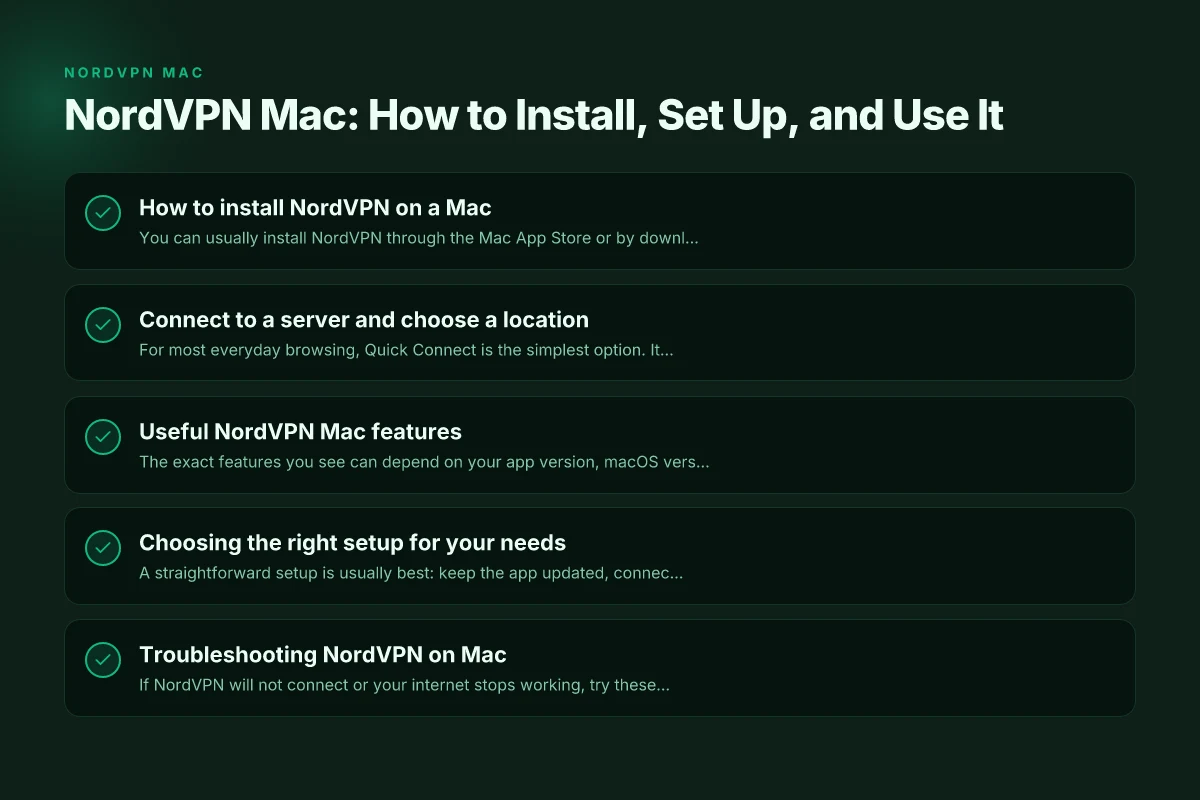
Connect to a server and choose a location
For most everyday browsing, Quick Connect is the simplest option. It selects a server based on factors such as your location and server availability. If you need an IP address associated with a particular country, open the server list or map and choose that country.
A nearby server is generally a sensible starting point when speed matters because your traffic has less distance to travel. A farther location may be useful when you need an IP address from that region, but it can add latency or reduce connection speed. Cisco AnyConnect VPN Download: Safe, Official Ways to Get the App
| What you want to do | Suggested choice | What to keep in mind |
|---|---|---|
| Browse on public Wi-Fi | Quick Connect or a nearby server | A VPN adds encryption between your Mac and the VPN server |
| Get an IP address from a specific country | Select that country | Websites can use other signals, such as cookies or account details, to estimate your location |
| Improve connection speed | Try a nearby server | Speed also depends on your internet connection and server load |
| Connect to a specialty server | Choose it from the server list | Availability depends on your plan and current app options |
A VPN does not make you anonymous or guarantee access to every website or streaming service. Websites may still identify you through account sign-ins, browser settings, cookies, or other data. Services can also block VPN traffic, and access may be subject to their terms.
Ways to connect and choose a NordVPN location on Mac
| Connection method | How it works | Location control | Best for |
|---|---|---|---|
| Quick Connect | Connects to a recommended server | App chooses the location | Fast setup |
| Search a country | Select a country in the app | Choose a country | General location choice |
| Map selection | Pick a location on the map | Choose from map options | Visual browsing |
| Specific server | Select an individual server | Choose a listed server | More control |
| Recent location | Reconnect to a previously used location | Reuse a past choice | Repeat connections |
| Disconnect | End the VPN session | No active VPN location | Returning to a direct connection |
Compiled November 2026; check the provider's site for current details.
Useful NordVPN Mac features
The exact features you see can depend on your app version, macOS version, account plan, and region. Review the settings in the current app rather than assuming every option is available on every Mac. Cisco Secure VPN: How It Works, Key Features, and How to Choose
Kill switch
A kill switch is designed to block internet access if the VPN connection drops, helping prevent traffic from continuing over your regular connection. If you need this protection, check whether the feature is available in your version of the app and enable it in settings. Read its description carefully: some kill switches block all internet access until the VPN reconnects.
Auto-connect
Auto-connect can start the VPN automatically under conditions you choose, such as when your Mac joins an unfamiliar Wi-Fi network. This can be useful if you often work from cafés, hotels, or other public places. Check the available triggers in the app and test the setting so you know when it activates.
Threat protection features
NordVPN may offer tools intended to block certain ads, trackers, or harmful sites. These tools are separate from the core VPN connection, and their availability and behavior can vary. They are not a replacement for macOS security updates, careful downloads, or a trusted password manager.
Choosing the right setup for your needs
A straightforward setup is usually best: keep the app updated, connect before using networks you do not trust, and choose a nearby server unless you have a reason to use another location. If you need a specific feature, confirm that it appears in your Mac app and understand what it does before relying on it. Fortinet VPN Japan: Setup, Options, and Security Tips
A VPN can help protect data traveling between your Mac and the VPN server, particularly when using public Wi-Fi. It does not prevent every kind of tracking, secure a compromised device, or protect information you voluntarily share with websites. For broader security, use strong, unique passwords, enable multifactor authentication where available, and keep macOS and your browser up to date.
NordVPN Mac troubleshooting guide
| Issue | First step | Next step | When to try another option |
|---|---|---|---|
| App will not open | Restart the Mac | Update or reinstall the app | If it still fails |
| Cannot sign in | Check account details | Reset the password | If access remains blocked |
| VPN will not connect | Try another server | Restart the app and reconnect | If multiple servers fail |
| Slow connection | Connect to a nearby server | Try a different server | If speed remains poor |
| Internet stops after disconnecting | Reconnect, then disconnect in the app | Restart the Mac | If access does not return |
| Permission prompt appears | Approve the VPN configuration | Retry the connection | If the prompt repeats |
| App appears outdated | Check for an update | Install the latest version | If updating does not help |
Compiled November 2026; check the provider's site for current details.
Troubleshooting NordVPN on Mac
If NordVPN will not connect or your internet stops working, try these steps one at a time: How to Use a Proxy Safely and Choose the Right Type
- Check that your Mac has a working internet connection with the VPN disconnected.
- Sign out and back in to the app, then try Quick Connect.
- Choose a different nearby server.
- Quit and reopen NordVPN, or restart your Mac.
- Install available updates for the app and macOS.
- Review macOS network or VPN settings if the app reports a configuration problem.
- Temporarily check whether another VPN, firewall, or network filter is interfering.
If a website or app does not work while connected, disconnect briefly to see whether the VPN is involved. If it works without the VPN, reconnect to a different server or contact NordVPN support. Avoid deleting network settings or installing configuration files from unofficial sources unless support specifically guides you through a safe, verified process.
Recommendation
NordVPN for Mac is a practical option if you want a dedicated VPN app with a simple connection flow and configurable protection features. Download it only from NordVPN or the Mac App Store, start with Quick Connect, and enable the settings that match your needs. Before relying on a particular feature, check that it is supported by your macOS and app version, and remember that a VPN complements, not replaces, good security habits.