Free VPNs That Change Location: The Best Options and Their Limits
Compare free VPNs that change your virtual location, including server choices, data limits, and privacy trade-offs.


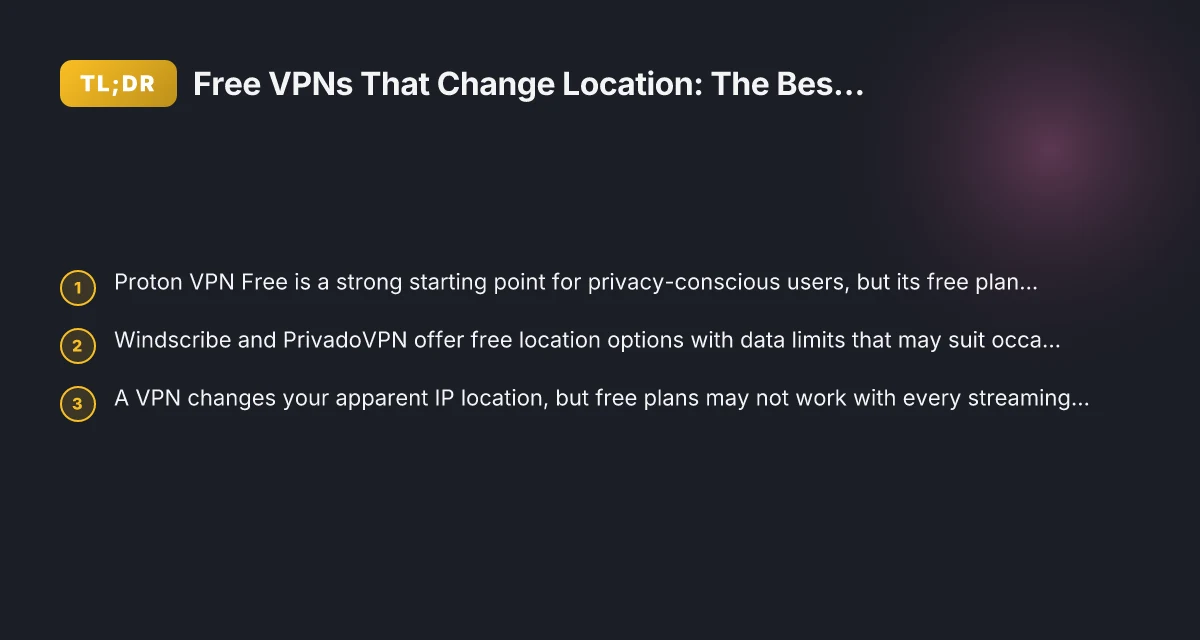
If you’re looking for free VPNs that change location, start with Proton VPN, Windscribe, and PrivadoVPN. Each offers a no-cost plan that can route your connection through servers in other locations, making websites see the VPN server’s IP address instead of your own. The key differences are how many locations you can choose, how much data you get, and what privacy protections and restrictions apply.
A VPN can help protect traffic on public Wi-Fi and make your IP address appear to come from another region. It does not physically move you, guarantee anonymity, or reliably unlock every location-restricted service. Free plans also tend to offer fewer server choices than paid subscriptions.
| VPN | Obfuscation | From / month | Plan | Free plan | Refund | Alipay | UnionPay | Crypto | Website opens in China | Trustpilot | |
|---|---|---|---|---|---|---|---|---|---|---|---|
 Proton VPN | Turn on manually Stealth, free plan too | $2.99/mo | 12 months: $35.88 | Yes | 30 days | ✗ | ✗ | ✗ | ✓ | ✗ Blocked | 2.1/5 (1,040 reviews) |
 Windscribe | Turn on manually Stealth / WStunnel | $5.75/mo | 12 months: $69 | Yes | See site | ✗ | ✗ | ✗ | ✓ | ✗ Blocked | 4.7/5 (13,355 reviews) |
 ZoogVPN | Turn on manually Shadow | $2.49/mo | 27 months: $59.99 | Yes | 7 days | ✓ | ✓ | ✓ | ✓ | Official site blocked; our special link opens (4.4 s) | 4.2/5 (195 reviews) |
 NordVPN | Turn on manually Obfuscated Servers / NordWhisper | $3.49/mo | 27 months: $94.23 | No | 30 days | ? | ✗ | ✓ | ✓ | ✗ Blocked | 4.2/5 (51,628 reviews) |
 ExpressVPN | ✓ On by default all servers | $3.00/mo | 28 months: $84 | No | 30 days | ✗ | ✗ | ✓ | ✗ | ✗ Blocked | 4.4/5 (29,706 reviews) |
 Surfshark | ✓ On by default Camouflage, with OpenVPN | See site | See site | No | 30 days | ✗ | ✗ | ✗ | ✓ | ✗ Blocked | 4.3/5 (31,823 reviews) |
 Astrill VPN | Turn on manually StealthVPN / OpenWeb | $12.50/mo | 24 months: $300 | No | See site | ✗ | ✗ | ✗ | ✓ | ✗ Blocked | 1.3/5 (110 reviews) |
 Private Internet Access | Turn on manually Shadowsocks, OpenVPN only | $2.03/mo | 40 months: $81.2 | No | 30 days | ✗ | ✗ | ✗ | ✗ | ✗ Blocked | 4.2/5 (11,033 reviews) |
 CyberGhost | Turn on manually selected servers | $2.19/mo | 28 months: $61.32 | No | 45 days | ✗ | ✗ | ✗ | ✓ | ✗ Blocked | 4.0/5 (24,178 reviews) |
 PureVPN | Turn on manually switch to OpenVPN | $1.69/mo | 60 months: $101.55 | No | 31 days | ? | ? | ✗ | ✓ | ✗ Blocked | 4.4/5 (17,994 reviews) |
 AdGuard VPN | ✓ On by default TrustTunnel | $2.99/mo | 24 months: $71.76 | Yes | 30 days | ✓ | ✗ | ✓ | ✓ | Official site blocked; our special link opens (3.7 s) | 4.3/5 (290 reviews) |
 Mullvad | Turn on manually QUIC / Shadowsocks / LWO | $5.61/mo | €5/mo | No | 14 days | ✗ | ✗ | ✗ | ✓ | ✗ Blocked | 3.2/5 (192 reviews) |
 StrongVPN | Turn on manually Scramble, OpenVPN TCP | See site | See site | No | 30 days | ✓ | ✗ | ✗ | ✗ | ✗ Blocked | 4.4/5 (2,695 reviews) |
 LightXtreme 闪连 | Not listed | $7.08/mo | 12 months: $84.99 | Yes | 30 days | ✓ | ✓ | ✓ | ✓ | ✓ Yes (3.5 s) | No page |
Prices checked 2026-11-10 on each vendor's pricing page (cheapest long plan, USD). Check the vendor's checkout for the final price.
Obfuscation checked 2026-11-14 on each vendor's site and help center: "on by default" = nothing to set; "turn on manually" = switch protocol or mode in settings; "not listed" = the vendor describes no obfuscation.
Payment methods checked 2026-11-10 on each vendor's payment pages: all 14 take cards and PayPal; ✗ = not listed, ? = the vendor's own pages disagree.
China access: whether the official website opens from mainland China networks (tests the website only, not the VPN connection). Last checked 2026-11-18 01:02 Beijing time.
Trustpilot score and review count checked 2026-11-10.

Editor's pick: NordVPN — fast, secure VPN — Strong encryption, a no-logs policy and apps for every device. 30-day money-back guarantee. Get NordVPN →
Free VPN options at a glance
| VPN | Free plan | Location choice | Data allowance | Best suited to |
|---|---|---|---|---|
| Proton VPN | Yes | Limited free locations | Unlimited | Regular browsing |
| Windscribe | Yes | Several free locations | Monthly cap | Occasional location changes |
| PrivadoVPN | Yes | Selected free locations | Monthly cap | Light streaming |
| TunnelBear | Yes | Many locations | Small monthly cap | Trying different regions |
| hide.me | Yes | Selected free locations | Monthly cap | Basic privacy |
| Hotspot Shield | Yes | Limited free locations | Daily or monthly cap | Simple browsing |
Compiled November 2026; check the provider's site for current details.
Free VPNs to consider
These providers are established options with free plans. Features and availability can change, so check each provider’s current plan details before signing up.
| VPN | Free-plan location flexibility | Data allowance | Best for |
|---|---|---|---|
| Proton VPN | Access to a limited set of free server locations; availability and selection can vary | Unlimited data under its free plan’s terms | Regular browsing without a monthly data cap |
| Windscribe | Choose from a selection of free locations | Limited monthly data; the amount depends on account and plan terms | Occasional use and more location choice |
| PrivadoVPN | Choose among available free server locations | Limited monthly data | Light browsing and occasional location changes |
“Unlimited data” does not mean unlimited speed or access to every server. Likewise, a provider’s free locations may change over time or become temporarily unavailable.
How these free VPNs compare
Proton VPN Free
Proton VPN is a practical option if you want to browse through a different IP location without monitoring a small monthly data allowance. Its free plan is known for unlimited data, but free users have fewer server choices than subscribers. You may not be able to select a specific city or country whenever you want, and server performance can vary with demand.
This plan is a reasonable choice for general browsing, especially if data limits are your main concern. Review its current free-plan terms to see which locations are available where you live. How to Open an OVPN File on Windows, Mac, Android, and iPhone
Windscribe Free
Windscribe offers a free plan with a selection of locations and a monthly data cap. The allowance can depend on the provider’s current account requirements and plan rules, so confirm the amount before relying on it. Its location menu can make it appealing if you want more control than a plan that assigns you to a limited selection.
A data cap can run out quickly if you stream video, download large files, or keep the VPN connected all day. For occasional browsing or short sessions, it may be enough.
PrivadoVPN Free
PrivadoVPN also provides a limited free data allowance and access to selected locations. It can work for trying a different apparent IP region or protecting a short browsing session. As with other free services, the locations and performance available to free users may be more restricted than those on paid plans.
Before using any free VPN for a particular country, check that the country is actually included in the current free tier. A provider’s full server list may include locations that require a paid subscription. Best Free Edge VPN Extension for UK Users: Safe, Practical Picks
Compare what free VPNs can change
| VPN | Change apparent IP | Choose country | Free locations | Streaming access | Main constraint |
|---|---|---|---|---|---|
| Proton VPN | Yes | Limited | Selected countries | Not guaranteed | Fewer free locations |
| Windscribe | Yes | Yes | Several countries | Varies by service | Monthly data cap |
| PrivadoVPN | Yes | Yes | Selected countries | Varies by service | Monthly data cap |
| TunnelBear | Yes | Yes | Many countries | Not guaranteed | Small data allowance |
| hide.me | Yes | Limited | Selected countries | Varies by service | Free-plan limits |
| Hotspot Shield | Yes | Limited | Selected countries | Not guaranteed | Free-plan limits |
Compiled November 2026; check the provider's site for current details.
What “change location” means
A VPN creates an encrypted connection between your device and a VPN server. Websites generally see the server’s public IP address, which is associated with the server’s location, rather than the IP address supplied by your internet provider.
That can make your online connection appear to come from another region. However, websites may also use account details, GPS permissions, browser settings, cookies, or payment information to estimate your location. Changing your IP address alone does not override every location signal. Best VPN for Edge Free: What to Choose and How to Set It Up
A VPN also does not guarantee that a streaming platform will accept your connection. Services often identify and block VPN server addresses, and free VPNs may have fewer servers to switch between if one stops working.
How to choose a free VPN
Compare more than the number of countries advertised. Check the free plan’s actual server list, data allowance, device limits, speeds, and privacy policy. A large location list for paid customers does not necessarily mean those locations are included for free.
Use this checklist before installing:
- Location selection: Can you choose the country you need, or does the app assign a server?
- Data limits: Is there a monthly cap, and what activities will use it up?
- Privacy practices: Does the provider explain what connection data it collects and how long it keeps it?
- Business model: Look for a clear explanation of how the free service is funded.
- Security features: Check for modern encryption, a kill switch, and protection against DNS leaks where available.
- Device support: Confirm the app works on your phone, computer, or other device.
- Current terms: Verify that the features you need are part of the free plan, not a paid tier.
Download VPN software only from the provider’s official website or a trusted app store. Be cautious of unfamiliar apps promising unlimited access to dozens of countries. Some free VPNs make money through intrusive advertising or data practices that may not match your privacy expectations. Best Free VPN for Microsoft Edge: Top Options, Limits, and How to Choose
Limitations and safer use
Free VPNs often have crowded servers, slower speeds, fewer locations, and limited support. A data cap can make them unsuitable for frequent streaming or large downloads. If you need a reliable connection to a specific country, consistently fast performance, or support for several devices, a reputable paid VPN may be a better fit.
For more privacy, keep your VPN app and device updated, use the provider’s kill switch if available, and check for IP or DNS leaks with a trusted test service. Remember that a VPN protects the connection between your device and the VPN server. It does not replace strong passwords, account security, or careful browsing habits.
Choose a free VPN for your needs
| Need | What to look for | Useful free-plan feature | Check before use | Safer-use tip |
|---|---|---|---|---|
| Browse from another region | Country selection | Multiple free locations | Whether the country is free | Confirm the IP location |
| Protect public Wi-Fi use | Encryption and a kill switch | Automatic protection | Security settings | Avoid sensitive transactions |
| Watch region-specific media | Streaming support | Suitable free servers | Service terms and reliability | Do not assume access is guaranteed |
| Use it regularly | Adequate data allowance | Unlimited or generous data | Speed and plan restrictions | Monitor data use |
| Keep personal data private | Clear privacy policy | Minimal data collection | Logging and ownership details | Avoid unknown VPN apps |
| Use safely on a phone | Reputable mobile app | App-store availability | Permissions and updates | Keep the app updated |
Compiled November 2026; check the provider's site for current details. VPN Extensions for Edge: What They Do and How to Choose One
Recommendation
For a free VPN that changes your apparent location, try Proton VPN Free if unlimited data matters most and its available locations suit you. Consider Windscribe or PrivadoVPN if their current free server lists include the country you need and their data limits are sufficient. Check the plan details before installing, and choose a paid service if you need a specific location, reliable streaming access, or frequent high-volume use.