FortiGate IPsec VPN: Setup, Configuration, and Troubleshooting
Learn how FortiGate IPSec VPN works, how to configure a secure tunnel, and how to diagnose common connection problems.


A FortiGate IPSec VPN provides an encrypted connection across an untrusted network, such as the public internet. It can link two offices with a site-to-site tunnel or let users connect remotely with a compatible VPN client. To make it work reliably, configure matching encryption and authentication settings, define which networks can communicate, and add the required routes and firewall policies.

Editor's pick: NordVPN — fast, secure VPN — Strong encryption, a no-logs policy and apps for every device. 30-day money-back guarantee. Get NordVPN →
Compare FortiGate IPsec VPN deployment options
| Option | Best fit | Peer type | Main consideration | Typical choice |
|---|---|---|---|---|
| Site-to-site | Connect office networks | FortiGate or other IPsec gateway | Both sides need matching settings | Branch connectivity |
| Remote access | Connect individual users | FortiClient or compatible client | User authentication and access control | Work-from-anywhere access |
| Route-based tunnel | Flexible network routing | IPsec peer | Uses tunnel interfaces and routing rules | Most new deployments |
| Policy-based tunnel | Simple, specific traffic rules | IPsec peer | Traffic selection is tied to policies | Existing or limited setups |
| IKEv1 | Legacy compatibility | Compatible IPsec peer | Use only when required | Older equipment |
| IKEv2 | Modern deployments | Compatible IPsec peer | Usually preferred when supported | New installations |
Compiled November 2026; check the provider's site for current details.
| VPN | Obfuscation | From / month | Plan | Free plan | Refund | Alipay | UnionPay | Crypto | Website opens in China | Trustpilot | |
|---|---|---|---|---|---|---|---|---|---|---|---|
 ZoogVPN | Turn on manually Shadow | $2.49/mo | 27 months: $59.99 | Yes | 7 days | ✓ | ✓ | ✓ | ✓ | Official site blocked; our special link opens (4.4 s) | 4.2/5 (195 reviews) |
 NordVPN | Turn on manually Obfuscated Servers / NordWhisper | $3.49/mo | 27 months: $94.23 | No | 30 days | ? | ✗ | ✓ | ✓ | ✗ Blocked | 4.2/5 (51,628 reviews) |
 ExpressVPN | ✓ On by default all servers | $3.00/mo | 28 months: $84 | No | 30 days | ✗ | ✗ | ✓ | ✗ | ✗ Blocked | 4.4/5 (29,706 reviews) |
 Surfshark | ✓ On by default Camouflage, with OpenVPN | See site | See site | No | 30 days | ✗ | ✗ | ✗ | ✓ | ✗ Blocked | 4.3/5 (31,823 reviews) |
 Proton VPN | Turn on manually Stealth, free plan too | $2.99/mo | 12 months: $35.88 | Yes | 30 days | ✗ | ✗ | ✗ | ✓ | ✗ Blocked | 2.1/5 (1,040 reviews) |
 Astrill VPN | Turn on manually StealthVPN / OpenWeb | $12.50/mo | 24 months: $300 | No | See site | ✗ | ✗ | ✗ | ✓ | ✗ Blocked | 1.3/5 (110 reviews) |
 Private Internet Access | Turn on manually Shadowsocks, OpenVPN only | $2.03/mo | 40 months: $81.2 | No | 30 days | ✗ | ✗ | ✗ | ✗ | ✗ Blocked | 4.2/5 (11,033 reviews) |
 CyberGhost | Turn on manually selected servers | $2.19/mo | 28 months: $61.32 | No | 45 days | ✗ | ✗ | ✗ | ✓ | ✗ Blocked | 4.0/5 (24,178 reviews) |
 PureVPN | Turn on manually switch to OpenVPN | $1.69/mo | 60 months: $101.55 | No | 31 days | ? | ? | ✗ | ✓ | ✗ Blocked | 4.4/5 (17,994 reviews) |
 AdGuard VPN | ✓ On by default TrustTunnel | $2.99/mo | 24 months: $71.76 | Yes | 30 days | ✓ | ✗ | ✓ | ✓ | Official site blocked; our special link opens (3.7 s) | 4.3/5 (290 reviews) |
 Mullvad | Turn on manually QUIC / Shadowsocks / LWO | $5.61/mo | €5/mo | No | 14 days | ✗ | ✗ | ✗ | ✓ | ✗ Blocked | 3.2/5 (192 reviews) |
 Windscribe | Turn on manually Stealth / WStunnel | $5.75/mo | 12 months: $69 | Yes | See site | ✗ | ✗ | ✗ | ✓ | ✗ Blocked | 4.7/5 (13,355 reviews) |
 StrongVPN | Turn on manually Scramble, OpenVPN TCP | See site | See site | No | 30 days | ✓ | ✗ | ✗ | ✗ | ✗ Blocked | 4.4/5 (2,695 reviews) |
 LightXtreme 闪连 | Not listed | $7.08/mo | 12 months: $84.99 | Yes | 30 days | ✓ | ✓ | ✓ | ✓ | ✓ Yes (3.5 s) | No page |
Prices checked 2026-11-10 on each vendor's pricing page (cheapest long plan, USD). Check the vendor's checkout for the final price.
Obfuscation checked 2026-11-14 on each vendor's site and help center: "on by default" = nothing to set; "turn on manually" = switch protocol or mode in settings; "not listed" = the vendor describes no obfuscation.
Payment methods checked 2026-11-10 on each vendor's payment pages: all 14 take cards and PayPal; ✗ = not listed, ? = the vendor's own pages disagree.
China access: whether the official website opens from mainland China networks (tests the website only, not the VPN connection). Last checked 2026-11-18 01:02 Beijing time.
Trustpilot score and review count checked 2026-11-10.
What FortiGate IPsec VPN does
IPSec protects IP traffic by authenticating the tunnel endpoints and encrypting data in transit. On FortiGate, an IPSec VPN is commonly used for two purposes:
- Site-to-site VPN: Connects a local network to a network behind another FortiGate or compatible gateway.
- Remote-access VPN: Connects an individual user’s device to a protected network.
An IPSec tunnel has two negotiation stages. Phase 1 establishes a secure channel between the VPN peers. Phase 2 negotiates the parameters used to protect traffic inside the tunnel. The peers need compatible settings for both phases, including authentication, encryption, and Diffie-Hellman options.
A tunnel can appear active while applications still fail to communicate. An established tunnel confirms that negotiation succeeded. It does not necessarily confirm that routes, policies, or endpoint settings allow the intended traffic.
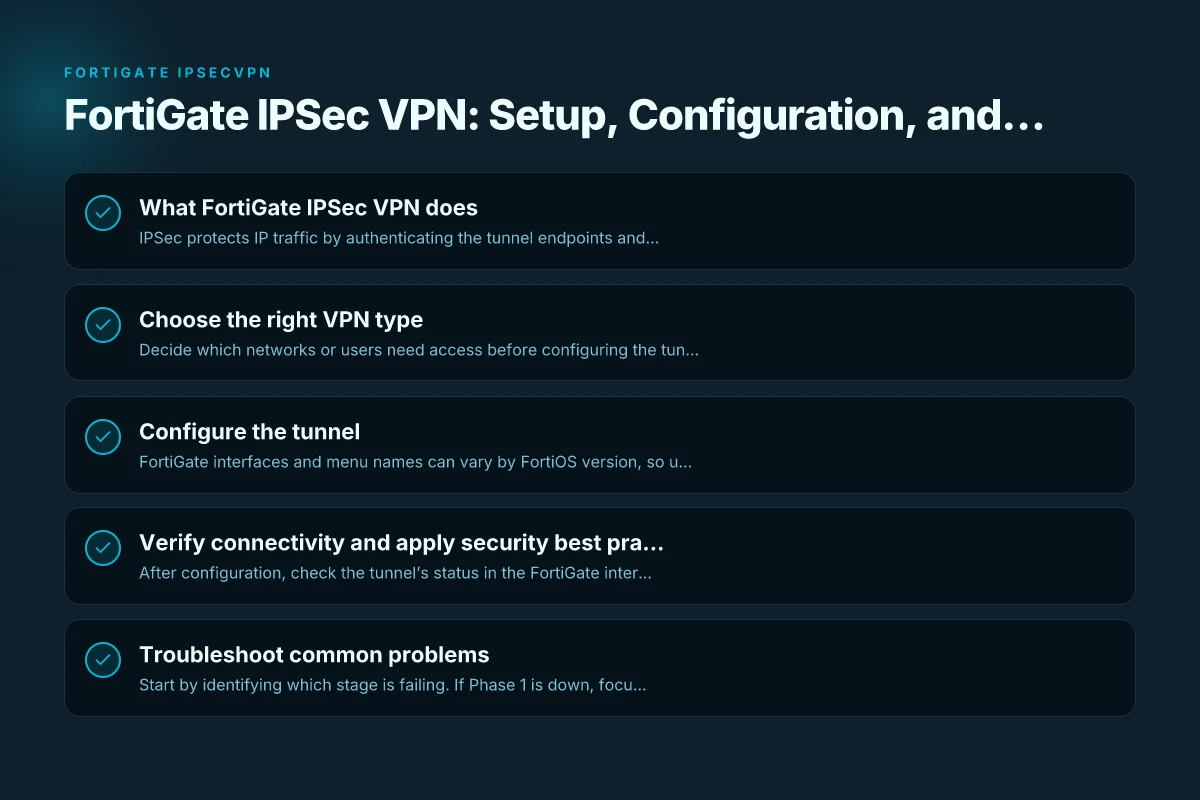
Choose the right VPN type
Decide which networks or users need access before configuring the tunnel. This choice determines the addressing, routing, and policy requirements. Checkpoint VPN: What It Does, How It Works, and Which Client to Use
| VPN type | Typical use | Main configuration considerations |
|---|---|---|
| Site-to-site | Connects two office networks | Peer address, local and remote subnets, routes, and policies |
| Remote access | Connects individual users | Client configuration, user authentication, address assignment, and access rules |
For a site-to-site VPN, the local and remote subnet definitions must accurately reflect the networks at each end. Avoid overlapping subnets: if both locations use the same IP range, the FortiGate cannot reliably determine where to send traffic.
For remote access, confirm that the chosen client supports the configured IPSec method and authentication options. Access should be limited to the networks and services users actually need.
Compare key tunnel configuration choices
| Setting | How to decide | Check on both peers |
|---|---|---|
| IKE version | Prefer IKEv2 when supported | Yes |
| Authentication | Choose based on key management needs | Yes |
| Encryption | Use strong compatible algorithms | Yes |
| Phase 1 identity | Match the peer’s expected identity | Yes |
| Phase 2 selectors | Include intended local and remote networks | Yes |
| Routing | Choose based on network design | As needed |
Compiled November 2026; check the provider's site for current details. Fortinet VPN: What It Does, How to Set It Up, and When to Use It
Configure the tunnel
FortiGate interfaces and menu names can vary by FortiOS version, so use the relevant FortiOS documentation for your device. In the web interface, start in the VPN or IPSec VPN section and select the appropriate tunnel type. The configuration usually includes the following steps.
1. Define Phase 1
Enter the peer’s public IP address or hostname and select the authentication method. Depending on the design, authentication may use a pre-shared key or certificates. Choose compatible proposals for encryption and integrity, and configure the key lifetime and Diffie-Hellman group.
Use strong, unique credentials. For a pre-shared key, avoid short or reused passwords, and share it through a secure channel.
2. Define Phase 2
Specify the local and remote subnets for a site-to-site tunnel, along with the encryption and integrity proposals. The Phase 2 selectors must correspond to the traffic each peer expects to protect. If the two devices use different selectors or incompatible proposals, Phase 1 may succeed while Phase 2 fails. VPN Free Extension Edge: How to Choose One for Microsoft Edge
3. Add routing and firewall policies
For a route-based VPN, ensure the FortiGate has a route directing remote-network traffic through the VPN interface. Then create firewall policies that allow the required traffic between the internal interface and the VPN interface.
Check the policy’s source and destination addresses, service, action, and NAT setting. NAT is usually disabled for traffic between the two private networks unless the network design specifically requires it. Add policies in both directions when the intended communication must be initiated from either side.
4. Confirm the other peer’s configuration
The remote gateway must use compatible Phase 1 and Phase 2 parameters, the correct peer details, and matching network definitions. Also verify that internet connectivity and any upstream firewall allow the required IKE and NAT traversal traffic. Commonly, IPSec uses UDP 500 and UDP 4500; ESP may also be involved, depending on the setup.
Verify connectivity and apply security best practices
After configuration, check the tunnel’s status in the FortiGate interface or monitoring tools. Then test traffic from a host in one protected network to a host in the other. Use a permitted service, such as a known application or an approved ICMP test, rather than relying only on the tunnel status. VPN FortiGate: How It Works, Setup Options, and Best Practices
A useful verification checklist includes:
- Phase 1 and Phase 2 are established.
- The local and remote subnets are correct and do not overlap.
- Routes point traffic toward the VPN.
- Firewall policies allow the intended traffic in both directions where needed.
- NAT is configured appropriately.
- Host firewalls and application settings allow the test traffic.
- The remote endpoint can reach the FortiGate’s public address.
Keep FortiOS and VPN client software updated, use strong authentication, and restrict access to required networks and services. Review logs and configuration changes periodically. If multiple users or sites share a tunnel, document the peer settings and the purpose of each policy so future troubleshooting is easier.
Troubleshoot common FortiGate IPsec VPN symptoms
| Symptom | Likely area | What to verify | Useful FortiGate check | Next step |
|---|---|---|---|---|
| Tunnel will not establish | Phase 1 | Peer address, IKE version, authentication | IKE logs and tunnel status | Match Phase 1 settings |
| Phase 1 up, Phase 2 down | Phase 2 | Proposals, selectors, lifetimes | IPsec SA status | Align Phase 2 settings |
| Tunnel up, no traffic | Routing or policy | Routes, firewall policies, NAT | Route lookup and traffic logs | Permit intended traffic |
| One-way traffic | Selectors or return path | Subnets and remote routes | Packet capture | Correct selectors or routing |
| Intermittent disconnects | Link or negotiation | Peer stability and timers | VPN event logs | Review timers and connectivity |
| Name resolution fails | DNS configuration | Client DNS and reachable DNS server | Client settings and traffic logs | Configure accessible DNS |
| Client cannot connect | Client or authentication | Client settings, credentials, certificates | Authentication and IKE logs | Correct client or identity settings |
| Tunnel up, application fails | Application path | Ports, services, host firewall | Policy logs and packet capture | Allow required application traffic |
Compiled November 2026; check the provider's site for current details. Com.NordVPN.Android: What the NordVPN Android App Does and How to Use It
Troubleshoot common problems
Start by identifying which stage is failing. If Phase 1 is down, focus on peer reachability, authentication, and Phase 1 proposals. If Phase 1 is up but Phase 2 is down, compare selectors, encryption settings, and lifetimes on both peers.
If both phases are up but traffic does not pass, investigate routing and policies before changing cryptographic settings. Confirm that the traffic is actually entering the tunnel, that the return path exists, and that no address overlap or unintended NAT is interfering.
Common causes include:
- A wrong peer IP address, hostname, or pre-shared key.
- Mismatched encryption, integrity, or Diffie-Hellman settings.
- Different Phase 2 subnet selectors.
- Missing routes or firewall policies.
- Blocked UDP 500 or UDP 4500 traffic.
- Incorrect NAT or a host-level firewall blocking the test.
FortiGate logs and diagnostic tools can help narrow down negotiation and traffic issues. Make changes methodically, one setting at a time, and compare both peers’ configurations. Avoid weakening encryption or authentication as a shortcut. First identify the specific mismatch or blocked path. Certificate Validation Failure Cisco VPN: Causes and Fixes
Recommendation
Use a route-based FortiGate IPSec VPN for a straightforward, maintainable connection, and document matching settings at both ends. Before putting the tunnel into service, test real application traffic, confirm routing and firewall behavior, and restrict access to only the networks and users that need it.